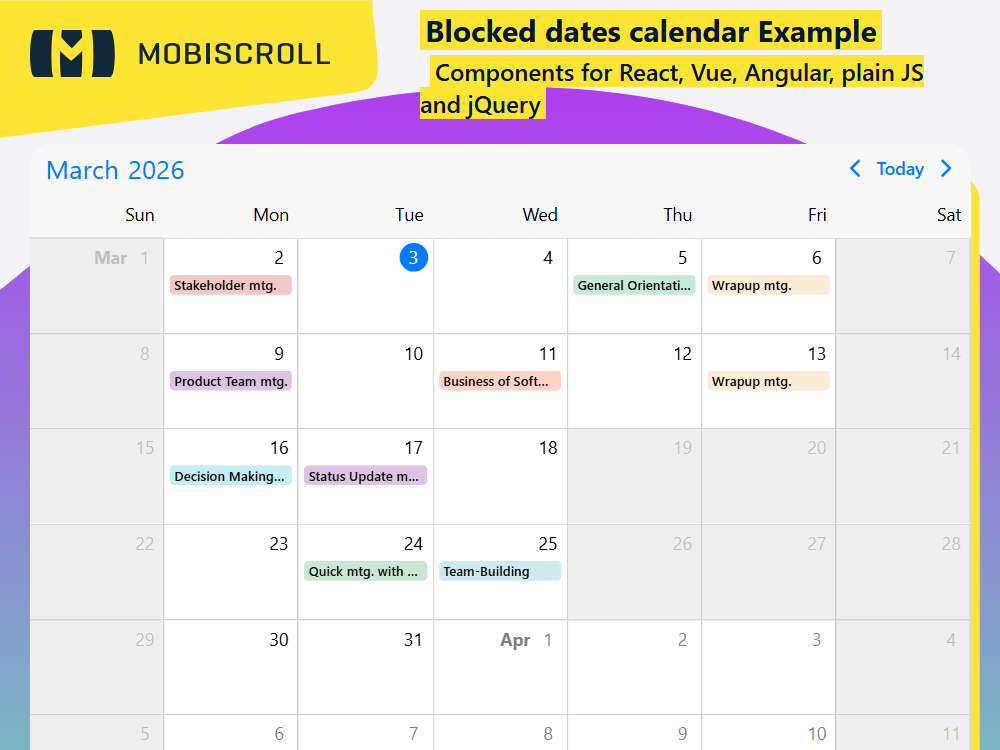
Blocked Days and Date Ranges
Entire days and ranges can be blocked out to manage event creation and editing more efficiently.
To disable specific or recurring days you can pass an array to the invalid option. A couple of examples:
- To disable weekends, use the recurring object -
recurring: { repeat: 'weekly', weekDays: 'SA,SU' } - Disable a specific range -
{ start: new Date(2020, 11, 19), end: new Date(2020, 11, 20) }
When dragging events onto disabled days, they will automatically be denied and onEventCreateFailed / onEventUpdateFailed events will be triggered, from which custom logic can be executed to show a toast or maybe a modal for data correction. The built-in logic of how the calendar handles validation on user interaction can be controlled through the invalidateEvent option:
'strict'- Strict being the default, no event overlap is allowed with invalid ranges.'start-end'- With start-end validation the calendar checks if the start or end of the event coincides with any invalid range. Other overlaps are allowed.
If you're interested in invalids for a given range (including recurring occurrences), you can use the getInvalids function.
Demo
Configure the built-in validation
Events cannot start or end on invalids, but can overlap
Events cannot overlap invalid ranges at all
html<mbsc-eventcalendar
[dragToCreate]="true"
[dragToMove]="true"
[dragToResize]="true"
invalidateEvent="strict "
[invalid]="invalid"
(onEventCreateFailed)="onEventCreateFailed()"
(onEventUpdateFailed)="onEventUpdateFailed()">
</mbsc-eventcalendar>
tsinvalid: [
    {
        recurring: {
            repeat: 'weekly',
            weekDays: 'SA,SU'
        }
    }, {
        start: '2026-10-19T00:00',
        end: '2026-10-20T00:00'
        title: 'Team offsite',
        allDay: true
    }, {
        start: '2026-10-26T00:00',
        end: '2026-10-27T00:00',
        title: 'Team offsite',
        allDay: true
    }
];

onEventCreateFailed () {
    this.notify.toast({
        message: 'Can\'t create event on this date'
    });
};

onEventUpdateFailed () {
    this.notify.toast({
        message: 'Can\'t add event on this date'
    });
};
ComponentTemplate
import { CommonModule } from '@angular/common';
import { HttpClient } from '@angular/common/http';
import { Component, OnInit } from '@angular/core';
import { MbscCalendarEvent, MbscEventcalendarOptions, MbscModule, Notifications, setOptions  } from '@mobiscroll/angular';

setOptions({
  locale:  ,
  theme: ' ',
  themeVariant: ' '
});

@Component({
  selector: 'app-root',
  templateUrl: './app.component.html',
  providers: [Notifications],
  standalone: true,
  imports: [CommonModule, MbscModule],
})
export class AppComponent implements OnInit {
  constructor(
    private http: HttpClient,
    private notify: Notifications,
  ) {}

  myEvents: MbscCalendarEvent[] = [];

  settings: MbscEventcalendarOptions = {
    view: {
      calendar: {
        labels: true,
      },
    },
    dragToCreate: true,
    dragToMove: true,
    dragToResize: true,
    invalidateEvent: 'strict',
    invalid: [
      {
        recurring: {
          repeat: 'weekly',
          weekDays: 'SA,SU',
        },
      },
      {
        allDay: true,
        start: '2026-10-19T00:00',
        end: '2026-10-20T00:00',
      },
      {
        allDay: true,
        start: '2026-10-26T00:00',
        end: '2026-10-27T00:00',
      },
    ],
    onEventCreateFailed: () => {
      this.notify.toast({
        message: "Can't create event on this date",
      });
    },
    onEventUpdateFailed: () => {
      this.notify.toast({
        message: "Can't add event on this date",
      });
    },
  };

  ngOnInit(): void {
    this.http.jsonp<MbscCalendarEvent[]>('https://trial.mobiscroll.com/work-events/', 'callback').subscribe((resp) => {
      this.myEvents = resp;
    });
  }
}
<mbsc-eventcalendar [data]="myEvents" [options]="settings"></mbsc-eventcalendar>