Angular Event calendar Localization
Get started with this exampleUsage
theme: 'ios' You can turn auto theming on and let it decide based on the platform.
Usage
themeVariant: 'light' You can turn auto dark mode on based on system settings.
Usage
  clickToCreate: true,
// click to create is on   dragToCreate: true,
// drag to create is on   dragToMove: true,
// reordering is on   dragToResize: true,
// resizing is on   eventDelete: true
// deleting is on
Fine-tune drag & drop with these options, which are false by default.
Usage
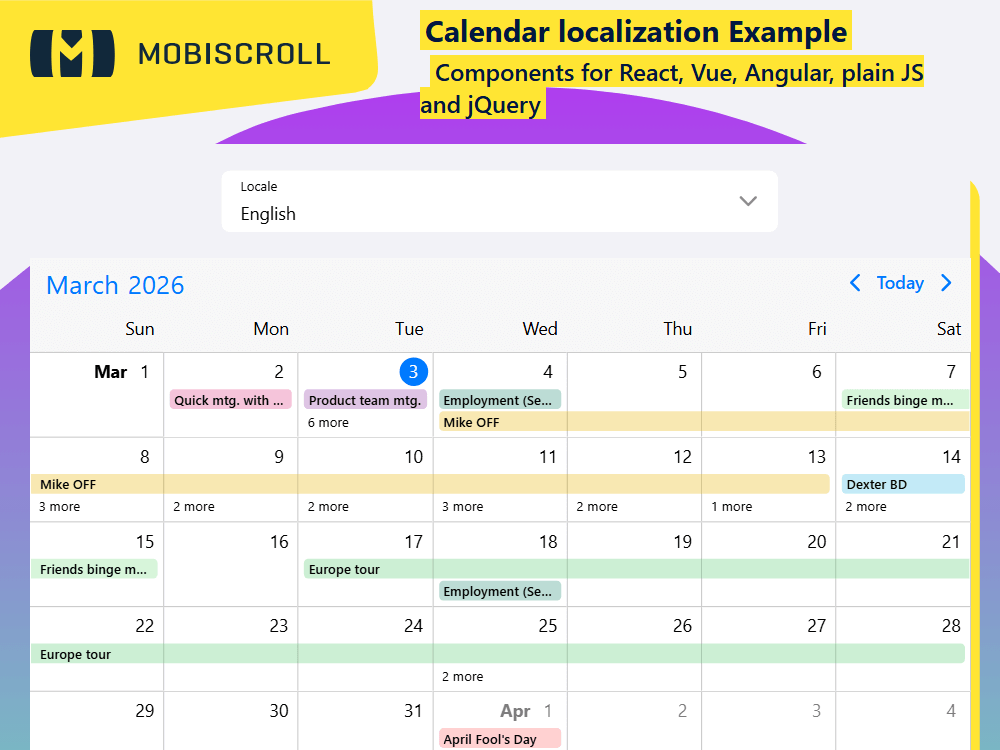
locale: localeEn Selecting the locale loads the localized settings and the translated UI text.
Localization
The components are fully localized. In case of the event calendar this covers date and time format, button copy, rtl and more. You can see how each example shows up by clicking on the small flag icon or checking the examples below.
All settings can be manually overridden See what options the localization impacts →
Demo
Code
import { CommonModule } from '@angular/common';
import { HttpClient } from '@angular/common/http';
import { Component, OnInit } from '@angular/core';
import { FormsModule } from '@angular/forms';
import { locale, MbscCalendarEvent, MbscModule, setOptions } from '@mobiscroll/angular';

setOptions({
  theme: ' ',
  themeVariant: ' '
});

@Component({
  selector: 'app-root',
  templateUrl: './app.component.html',
  standalone: true,
  imports: [CommonModule, FormsModule, MbscModule],
})
export class AppComponent implements OnInit {
  constructor(private http: HttpClient) {}

  myEvents: MbscCalendarEvent[] = [];

  localeStr = 'en';
  localeAll = locale;

  languages = [
    { name: 'Arabic', value: 'ar' },
    { name: 'Bulgarian', value: 'bg' },
    { name: 'Catala', value: 'ca' },
    { name: 'Cestina', value: 'cs' },
    { name: 'Dansk', value: 'da' },
    { name: 'Deutsch', value: 'de' },
    { name: 'Greek', value: 'el' },
    { name: 'English', value: 'en' },
    { name: 'English-UK', value: 'en-GB' },
    { name: 'Espanol', value: 'es' },
    { name: 'Farsi', value: 'fa' },
    { name: 'Suomi', value: 'fi' },
    { name: 'Français', value: 'fr' },
    { name: 'Hebrew', value: 'he' },
    { name: 'Hindi', value: 'hi' },
    { name: 'Croatian', value: 'hr' },
    { name: 'Magyar', value: 'hu' },
    { name: 'Italiano', value: 'it' },
    { name: 'Japanese', value: 'ja' },
    { name: 'Korean', value: 'ko' },
    { name: 'Lietuvių', value: 'lt' },
    { name: 'Nederlands', value: 'nl' },
    { name: 'Norsk', value: 'no' },
    { name: 'Polski', value: 'pl' },
    { name: 'Português Brasileiro', value: 'pt-BR' },
    { name: 'Português Europeu', value: 'pt-PT' },
    { name: 'Română', value: 'ro' },
    { name: 'Russian UA', value: 'ru-UA' },
    { name: 'Russian', value: 'ru' },
    { name: 'Slovencina', value: 'sk' },
    { name: 'Serbian', value: 'sr' },
    { name: 'Svenska', value: 'sv' },
    { name: 'Thai', value: 'th' },
    { name: 'Türkçe', value: 'tr' },
    { name: 'Ukrainian', value: 'ua' },
    { name: 'Vietnamese', value: 'vi' },
    { name: 'Chinese', value: 'zh' },
  ];

  ngOnInit(): void {
    this.http.jsonp<MbscCalendarEvent[]>('https://trial.mobiscroll.com/events/?vers=5', 'callback').subscribe((resp) => {
      this.myEvents = resp;
    });
  }
}
<mbsc-page class="mds-full-height">
  <div class="mds-locale-cont mds-full-height mbsc-flex-col">
    <div class="mbsc-grid">
      <div class="mbsc-row">
        <div class="mbsc-col-sm-8">
          <mbsc-dropdown [(ngModel)]="localeStr" inputStyle="box" label="Locale" labelStyle="stacked">
            <option *ngFor="let lang of languages" [value]="lang.value">{{lang.name}}</option>
          </mbsc-dropdown>
        </div>
      </div>
    </div>
    <div class="mds-overflow-hidden mbsc-flex-1-1">
      <mbsc-eventcalendar [data]="myEvents" [locale]="localeAll[localeStr]"></mbsc-eventcalendar>
    </div>
  </div>
</mbsc-page>
.mds-full-height {
  height: 100%;
}

.mds-locale-cont .mbsc-col-sm-8 {
  margin: 0 auto;
}

.mds-overflow-hidden {
  overflow: hidden;
}