Understanding how to work with dates inside the event calendar is essential. You can pass to the data, marked, colors and labels in four different formats. The event calendar can work with Javascript date objects, ISO strings and Moment.js objects.
Demo
JS date object
start: new Date(2020, 4, 19, 10, 45),
end: new Date(2020, 4, 19, 11, 45)ISO date string
start: '2020-05-20T12:30:00',
end: '2020-05-20T13:00:00'Moment.js object
start: moment([2020, 4, 21, 11]),
end: moment([2020, 4, 21, 14])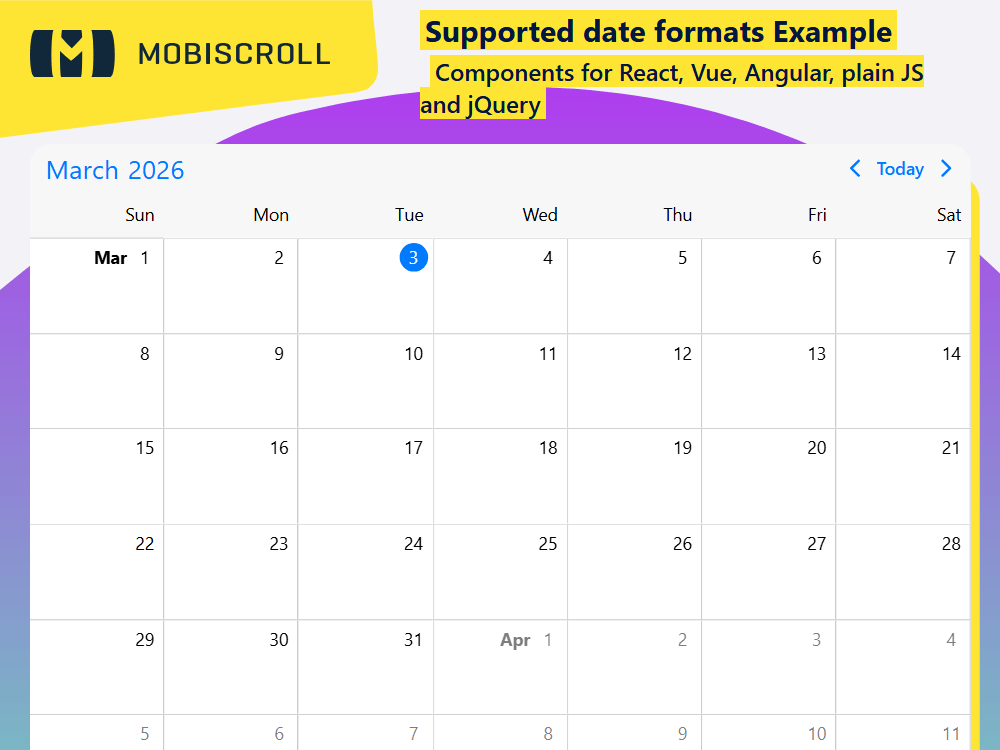
ComponentTemplate
import { CommonModule } from '@angular/common';
import { Component } from '@angular/core';
import { MbscCalendarEvent, MbscEventcalendarView, MbscModule, setOptions  } from '@mobiscroll/angular';
import moment from 'moment';

setOptions({
  locale:  ,
  theme: ' ',
  themeVariant: ' '
});

@Component({
  selector: 'app-root',
  templateUrl: './app.component.html',
  standalone: true,
  imports: [CommonModule, MbscModule],
})
export class AppComponent {
  myView: MbscEventcalendarView = {
    calendar: {
      type: 'month',
      popover: true,
      count: true,
    },
  };

  selectedDateObj = new Date(2020, 4, 19);
  selectedDateISO = '2020-05-20';
  selectedDateMoment: moment.Moment = moment([2020, 4, 21]);

  dateObjEvents: MbscCalendarEvent[] = [
    {
      start: new Date(2020, 4, 19, 7),
      end: new Date(2020, 4, 19, 8),
      title: 'General orientation',
      color: '#35bb5a',
    },
  ];

  dateISOEvents: MbscCalendarEvent[] = [
    {
      start: '2020-05-20T07:00:00',
      end: '2020-05-20T08:00:00',
      title: 'Clever Conference',
      color: '#a71111',
    },
  ];

  dateMomentEvents: MbscCalendarEvent[] = [
    {
      start: moment([2020, 4, 21, 7]),
      end: moment([2020, 4, 21, 8]),
      title: 'Product team mtg.',
      color: '#913aa7',
    },
  ];

  addDateObjEvent(): void {
    const newEvent: MbscCalendarEvent = {
      start: new Date(2020, 4, 19, 10, 45),
      end: new Date(2020, 4, 19, 11, 45),
      title: 'New event',
      color: '#35bb5a',
    };
    this.dateObjEvents = [...this.dateObjEvents, newEvent];
    this.selectedDateObj = new Date(2020, 4, 19);
  }

  addDateISOEvent(): void {
    const newEvent: MbscCalendarEvent = {
      start: '2020-05-20T12:30:00',
      end: '2020-05-20T13:00:00',
      title: 'New event',
      color: '#a71111',
    };
    this.dateISOEvents = [...this.dateISOEvents, newEvent];
    this.selectedDateISO = '2020-05-20';
  }

  addDateMomentEvent(): void {
    const newEvent: MbscCalendarEvent = {
      start: moment([2020, 4, 21, 11]),
      end: moment([2020, 4, 21, 14]),
      title: 'New event',
      color: '#913aa7',
    };
    this.dateMomentEvents = [...this.dateMomentEvents, newEvent];
    this.selectedDateMoment = moment([2020, 4, 21]);
  }
}
<mbsc-page>
  <div class="mbsc-grid">
    <div class="mbsc-row">
      <div class="mbsc-col-sm-12 mbsc-col-md-4">
        <div class="mbsc-form-group">
          <div class="mbsc-form-group-title">Date object</div>
          <div class="mbsc-button-group-block">
            <mbsc-button (click)="addDateObjEvent()">
              start: new Date(2020, 4, 19, 10, 45) <br />
              end: new Date(2020, 4, 19, 11, 45)
            </mbsc-button>
          </div>
          <mbsc-eventcalendar [data]="dateObjEvents" [view]="myView" [selectedDate]="selectedDateObj"></mbsc-eventcalendar>
        </div>
      </div>
      <div class="mbsc-col-sm-12 mbsc-col-md-4">
        <div class="mbsc-form-group">
          <div class="mbsc-form-group-title">ISO 8601 date string</div>
          <div class="mbsc-button-group-block">
            <mbsc-button (click)="addDateISOEvent()">
              start: '2020-05-20T12:30:00' <br />
              end: '2020-05-20T13:00:00'
            </mbsc-button>
          </div>
          <mbsc-eventcalendar [data]="dateISOEvents" [view]="myView" [selectedDate]="selectedDateISO"></mbsc-eventcalendar>
        </div>
      </div>
      <div class="mbsc-col-sm-12 mbsc-col-md-4">
        <div class="mbsc-form-group">
          <div class="mbsc-form-group-title">Moment.js object</div>
          <div class="mbsc-button-group-block">
            <mbsc-button (click)="addDateMomentEvent()">
              start: moment([2020, 4, 21, 11]) <br />
              end: moment([2020, 4, 21, 14])
            </mbsc-button>
          </div>
          <mbsc-eventcalendar [data]="dateMomentEvents" [view]="myView" [selectedDate]="selectedDateMoment"></mbsc-eventcalendar>
        </div>
      </div>
    </div>
  </div>
</mbsc-page>