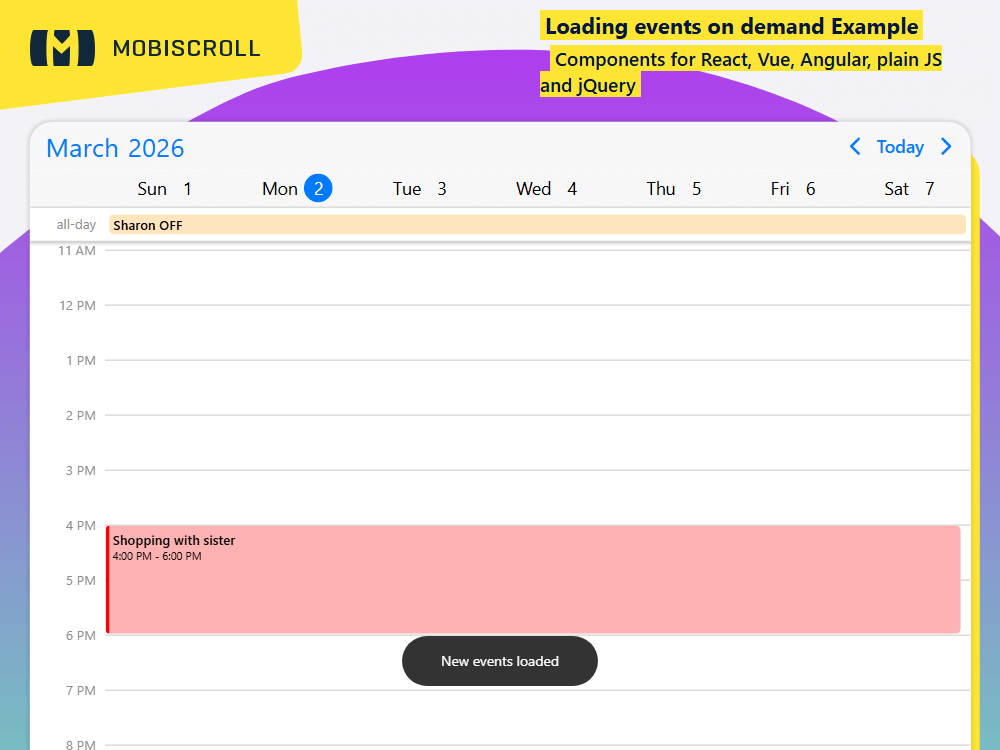
Load Events on Demand

The scheduler supports remote and local data sources. Besides that, events can be populated on initialization or loaded on demand.

Getting the events in real time as the user navigates improves load performance and always serves the most recent data.

Use the onPageLoading lifecycle event to load the data runtime. You can learn about lifecycle events and places where to drop logic to customize the experience.

Interested in loading events from Google Calendar?  Show events from Google Calendar →
Download and try example

Demo

Loading the live demo

Preview in full screen

Fetch scheduler events as users navigate between dates — use a lifecycle callback to load only the visible date range from a remote or local source.

Code

mobiscroll.eventcalendar('#demo', {
  locale:  ,
  theme: ' ',
  themeVariant: ' ',
  clickToCreate:  ,
  dragToCreate:  ,
  dragToMove:  ,
  dragToResize:  ,
  eventDelete:  ,
  view: {
    scheduler: { type: 'day' },
  },
  onPageLoading: function (event, inst) {
    var year = event.firstDay.getFullYear();
    var month = event.firstDay.getMonth();
    var day = event.firstDay.getDate();

    mobiscroll.getJson(
      'https://trial.mobiscroll.com/weeklyevents/?year=' + year + '&month=' + month + '&day=' + day,
      function (data) {
        var events = [];

        for (var i = 0; i < data.length; i++) {
          events.push({
            start: data[i].start,
            end: data[i].end || '',
            allDay: data[i].allDay,
            title: data[i].title,
            color: data[i].color,
          });
        }

        inst.setEvents(events);

        mobiscroll.toast({
          message: 'New events loaded',
        });
      },
      'jsonp',
    );
  },
});
  

Duplicate Session

You have signed in on a different machine. To keep everything in sync, you have been signed out of this session.

If you need to invite team members, manage seats and accounts you can do it from the licenses page.

Duplicate Session

We noticed you are logged in on a different machine and have closed your old session.

If you need to invite team members, manage seats and accounts you can do it from the licenses page.