Printing the View
The agenda includes print optimized styling through the print add-on. This needs to be added to the download package or installed separately from a dedicated NPM package.
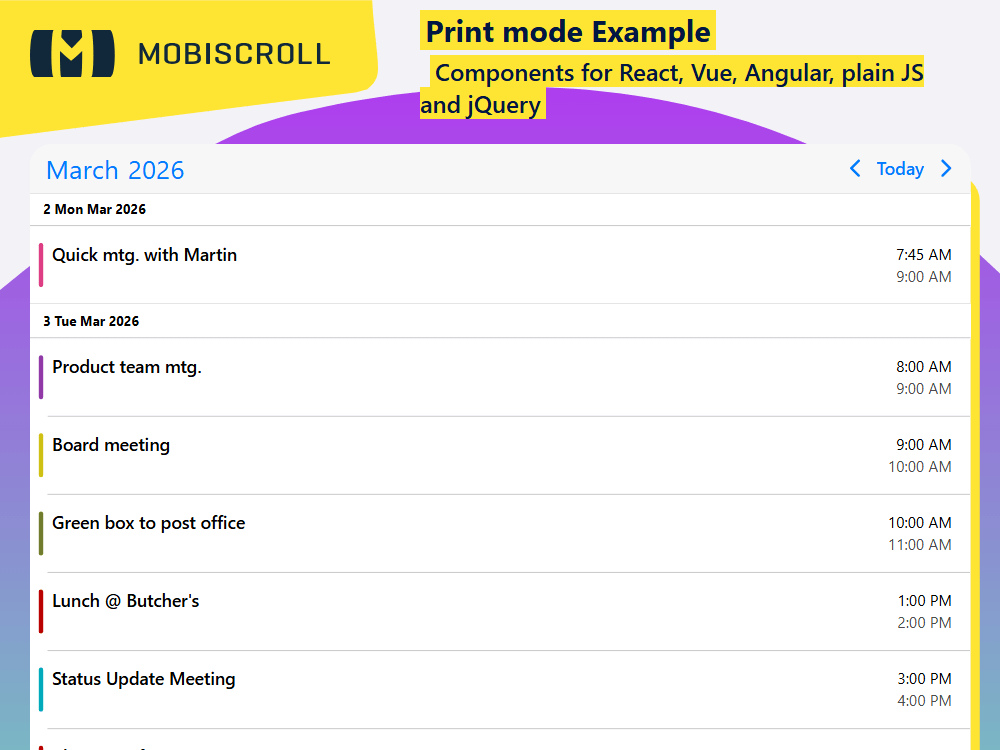
Print styling is applied when print is called on a page that contains the agenda. In addition to that, you can call the print method on the instance which grabs only the markup of the agenda places it onto a temporary page and calls the browsers printing function. This is especially useful when you want to add a button to only print the agenda rather than the whole page.
Besides printing, PDF export is possible through the print dialog of the browser.
The print module is not available in the trial. You can try the live demo to see how it looks.
Demo
By calling the print method, the agenda will open a new window and print its content.
const MY_MODULES = [print];
const [inst, setInst] = React.useState(null);
const printView = () => {
    inst.print();
};

<Button onClick={printView}>Print agenda</Button>
<Eventcalendar
    view={{
        agenda: {
            type: 'month'
        }
    }}
    ref={setInst}
    modules={MY_MODULES}
/>
JSXTSXCSS
import { print } from '@mobiscroll/print';
import { Button, Eventcalendar, getJson, Page, setOptions  } from '@mobiscroll/react';
import { useCallback, useEffect, useMemo, useState } from 'react';

const MY_MODULES = [print];

setOptions({
  locale:  ,
  theme: ' ',
  themeVariant: ' '
});

function App() {
  const [inst, setInst] = useState(null);
  const [myEvents, setEvents] = useState([]);

  const myView = useMemo(() => ({ agenda: { type: 'month' } }), []);

  const printView = useCallback(() => {
    inst.print();
  }, [inst]);

  useEffect(() => {
    getJson(
      'https://trial.mobiscroll.com/events/?vers=5',
      (events) => {
        setEvents(events);
      },
      'jsonp',
    );
  }, []);

  return (
    <Page className="mds-full-height">
      <div className="mds-full-height mbsc-flex-col">
        <div className="mbsc-flex-none">
          <Button onClick={printView} startIcon="print">
            Print agenda
          </Button>
        </div>
        <div className="mds-overflow-hidden mbsc-flex-1-1">
          <Eventcalendar data={myEvents} modules={MY_MODULES} ref={setInst} view={myView} />
        </div>
      </div>
    </Page>
  );
}

export default App;
import { print } from '@mobiscroll/print';
import {
  Button,
  Eventcalendar,
  getJson,
  MbscCalendarEvent,
  MbscEventcalendarView,
  Page,
  setOptions ,
} from '@mobiscroll/react';
import { FC, useCallback, useEffect, useMemo, useState } from 'react';

const MY_MODULES = [print];

setOptions({
  locale:  ,
  theme: ' ',
  themeVariant: ' '
});

const App: FC = () => {
  const [inst, setInst] = useState<Eventcalendar | null>(null);
  const [myEvents, setEvents] = useState<MbscCalendarEvent[]>([]);

  const myView = useMemo<MbscEventcalendarView>(() => ({ agenda: { type: 'month' } }), []);

  const printView = useCallback(() => {
    inst!.print();
  }, [inst]);

  useEffect(() => {
    getJson(
      'https://trial.mobiscroll.com/events/?vers=5',
      (events: MbscCalendarEvent[]) => {
        setEvents(events);
      },
      'jsonp',
    );
  }, []);

  return (
    <Page className="mds-full-height">
      <div className="mds-full-height mbsc-flex-col">
        <div className="mbsc-flex-none">
          <Button onClick={printView} startIcon="print">
            Print agenda
          </Button>
        </div>
        <div className="mds-overflow-hidden mbsc-flex-1-1">
          <Eventcalendar data={myEvents} modules={MY_MODULES} ref={setInst} view={myView} />
        </div>
      </div>
    </Page>
  );
};
export default App;
.mds-full-height {
  height: 100%;
}

.mds-overflow-hidden {
  overflow: hidden;
}