Show Empty Days
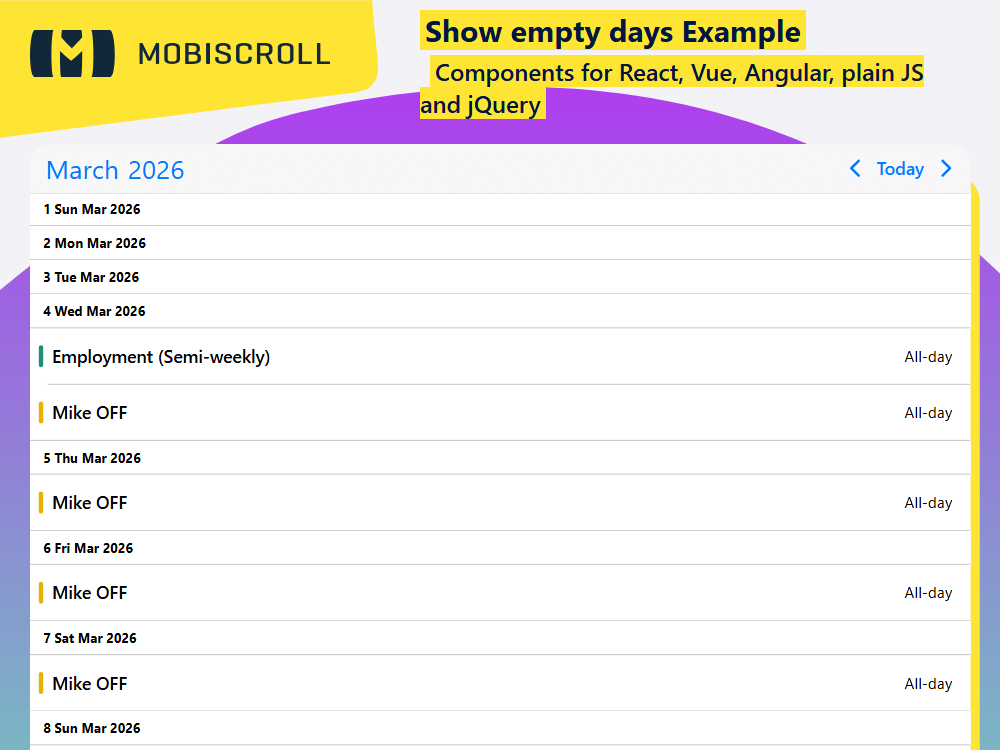
By default, the agenda doesn't render days with no events. However, in some cases, you might want to display headers for empty days, especially when you want to add extra functionalities for those days or make it easier to schedule future events. In such cases, you can use the showEmptyDays property under the view.agenda option.
Interested in how to customize the day headers? Check out this example →
Demo
Set the agenda to render headers for empty days
Show empty days
<Eventcalendar
view={{
agenda: {
type: 'month ',
showEmptyDays: true
}
}}
/>
JSXTSX
import { Eventcalendar, getJson, setOptions  } from '@mobiscroll/react';
import { useEffect, useMemo, useState } from 'react';

setOptions({
  locale:  ,
  theme: ' ',
  themeVariant: ' '
});

function App() {
  const [myEvents, setEvents] = useState([]);

  const myView = useMemo(
    () => ({
      agenda: {
        type: 'month',
        showEmptyDays: true,
      },
    }),
    [],
  );

  useEffect(() => {
    getJson(
      'https://trial.mobiscroll.com/timeline-events/',
      (events) => {
        setEvents(events);
      },
      'jsonp',
    );
  }, []);

  return <Eventcalendar data={myEvents} view={myView} />;
}

export default App;
import { Eventcalendar, getJson, MbscCalendarEvent, MbscEventcalendarView, setOptions  } from '@mobiscroll/react';
import { FC, useEffect, useMemo, useState } from 'react';

setOptions({
  locale:  ,
  theme: ' ',
  themeVariant: ' '
});

const App: FC = () => {
  const [myEvents, setEvents] = useState<MbscCalendarEvent[]>([]);

  const myView = useMemo<MbscEventcalendarView>(
    () => ({
      agenda: {
        type: 'month',
        showEmptyDays: true,
      },
    }),
    [],
  );

  useEffect(() => {
    getJson(
      'https://trial.mobiscroll.com/timeline-events/',
      (events: MbscCalendarEvent[]) => {
        setEvents(events);
      },
      'jsonp',
    );
  }, []);

  return <Eventcalendar data={myEvents} view={myView} />;
};
export default App;