


















React Event calendar

Updated on Oct 30, 2026

React Event Calendar Component with Week and Month Views

Build an interactive event calendar in React with recurring events, custom labels, day popovers and event editing. Combine calendar views with your application's event data, components and state.

Loading the live demo...

Use native React components and props to build a calendar experience inside your application.

Mobiscroll Event Calendar displays scheduled events inside a calendar grid, including week, month and year layouts. The Calendar view is one of four views of the Event Calendar component: Calendar, Scheduler, Timeline and Agenda. Each shows the same kinds of event data in a different way. Use the Calendar view when people need a date-based overview; add a Scheduler, horizontal Timeline or Agenda list when the workflow needs a different perspective.

  • StableSecretary logo
  • ServiceTitan logo
  • JLL logo
  • Telstra Health logo
  • Zucchetti logo
  • Yardi logo
  • Tebra logo
  • Planon logo
  • Litmos logo
  • Hays logo
  • SpotMe logo
  • A.WFM logo
  • Ad Astra Information Systems logo
  • Alobees logo
  • ANZ Bank New Zealand logo
  • Arbox logo
  • Arryved logo
  • Artist Growth logo
  • Asolvi logo
  • Atlas Chiropractic System logo

Event calendar highlights

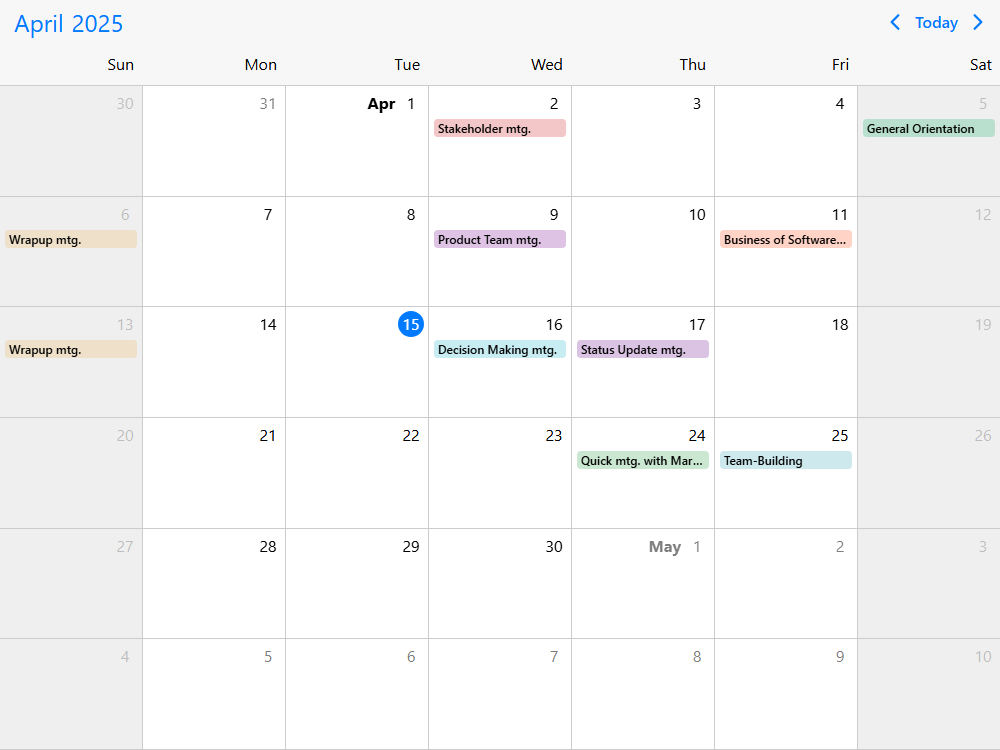
  • Flexible calendar grids for events

    Show weeks, months, quarters or years, choose how events appear on each date and adapt the calendar between desktop and mobile layouts.

  • Event labels, popovers and custom content

    Display scheduled items directly in calendar cells, open a list when a day contains more events than fit, and customize event labels, headers and details.

  • Drag-and-drop event editing

    Enable creation, moving and resizing where the workflow needs it. Connect event interactions and restrictions to your application's rules and data.

  • AI-ready developer tooling

    Give coding assistants current, framework-specific Event Calendar API context through Mobiscroll's MCP server, agent skills and AI-readable examples.

Getting started

Install the Mobiscroll CLI once, then configure the React package. The CLI sets up access to the private npm registry and installs Mobiscroll.

Terminal
npm install -g @mobiscroll/cli
mobiscroll config react

Use the native React Eventcalendar component with a month calendar and event labels:

JSX
import { Eventcalendar } from '@mobiscroll/react';
import '@mobiscroll/react/dist/css/mobiscroll.min.css';

const today = new Date();
const onDay = (day, hour = 9) => new Date(
  today.getFullYear(), today.getMonth(), day, hour
);

const view = { calendar: { type: 'month', labels: true } };
const events = [
  { id: 1, title: 'Team planning', start: onDay(5), end: onDay(5, 10) },
  { id: 2, title: 'Customer appointment', start: onDay(12), end: onDay(12, 11) },
  { id: 3, title: 'Training session', start: onDay(19), end: onDay(19, 12) }
];

export default function App() {
  return <Eventcalendar view={view} selectedDate={today} data={events}
    dragToCreate={true} dragToMove={true} dragToResize={true} />;
}

Use React state and callbacks for interactive edits or API updates. See the React installation guide and Calendar view documentation.

The starter example displays a month with event labels that you can create, move and resize by dragging. For responsive calendar-and-agenda combinations or custom event design, explore a demo below and reuse its tested implementation.

Browse the demos

What you can build with the Event calendar

An event calendar is useful when users need to understand scheduled activities in the context of dates: which days are busy, what events are coming up and where they can act. Build the experience around your data and workflows rather than treating the calendar as a standalone business application.

Appointment booking & availability

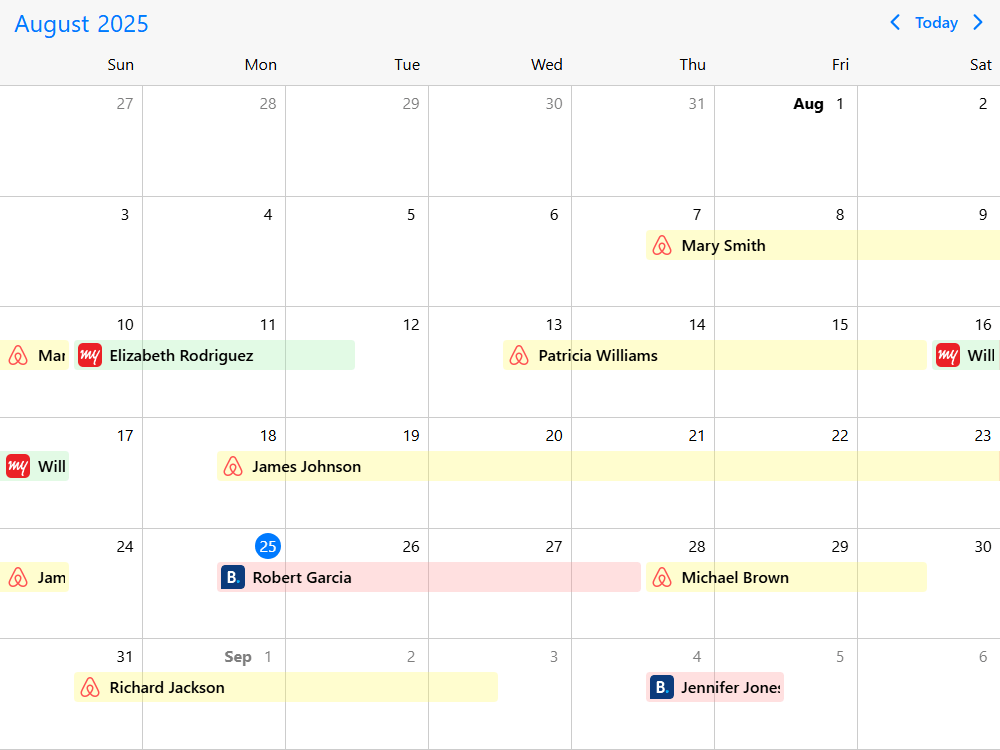
Build appointment and reservation calendars that show bookings on their dates, open a day's details and use visual restrictions for unavailable dates. Combine the calendar with your own availability logic and booking actions (property reservations, blocked dates).

Class, lesson & event scheduling

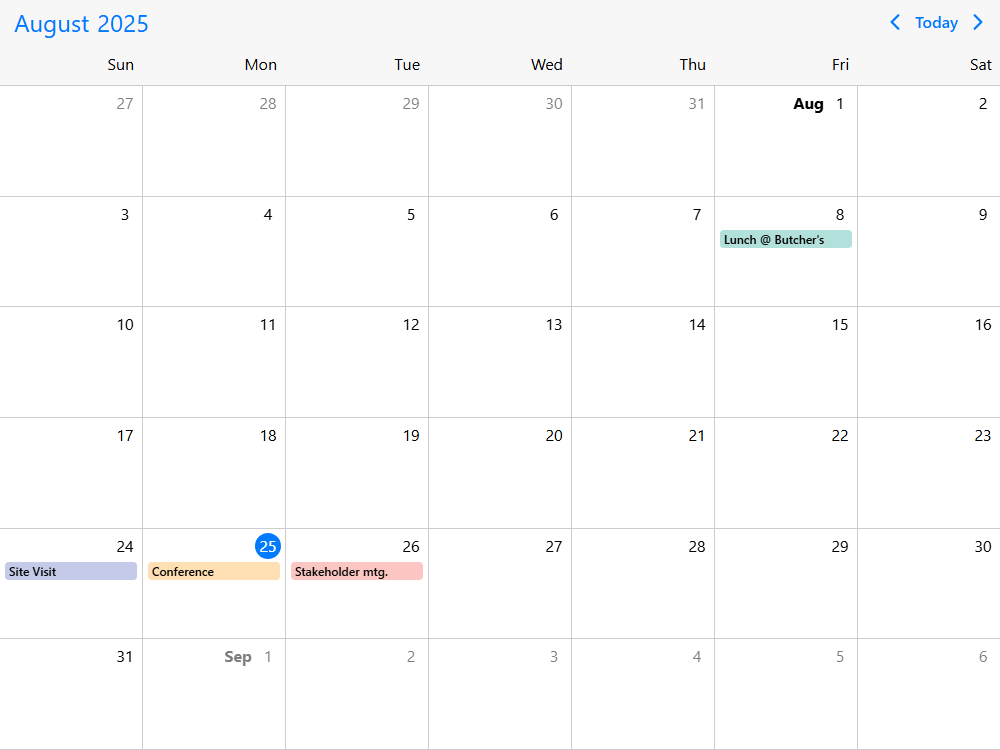
Display lessons, training sessions, community events or venue programs in an easy-to-scan month or week grid. Use event labels, recurring sessions and custom event detail views to help users find the right date (event labels, recurring events, event popovers).

Workforce & shift planning

Provide staff or managers with a calendar of shifts, time off and planned activities. Show a high-level date overview in the Calendar view, then offer a Scheduler time grid or Timeline when they need to compare assignments by resource and time (week and month views, switching views).

Resource & asset planning

Build a date-based overview of room, equipment or other resource bookings. Filter events for a selected resource and open the relevant booking details; switch to a resource-oriented view when users need to compare assets side by side (resource filtering, daily summaries).

Operations & production planning

Show deadlines, maintenance windows, inspections and planned work on the days they occur. Customize event colors and day-cell summaries to distinguish different types of activities; use an application-specific editor for work orders and business rules (colored calendar cells, custom event labels).

Event calendar capabilities

The Calendar view brings together date navigation, event display and editing in a configurable grid. Start with a month or week calendar, then add the event rendering, filters, controls and data connections that fit your application. Scheduler, Timeline and Agenda remain available as other views of the same Event Calendar component.

  • Week, month, quarter and year views

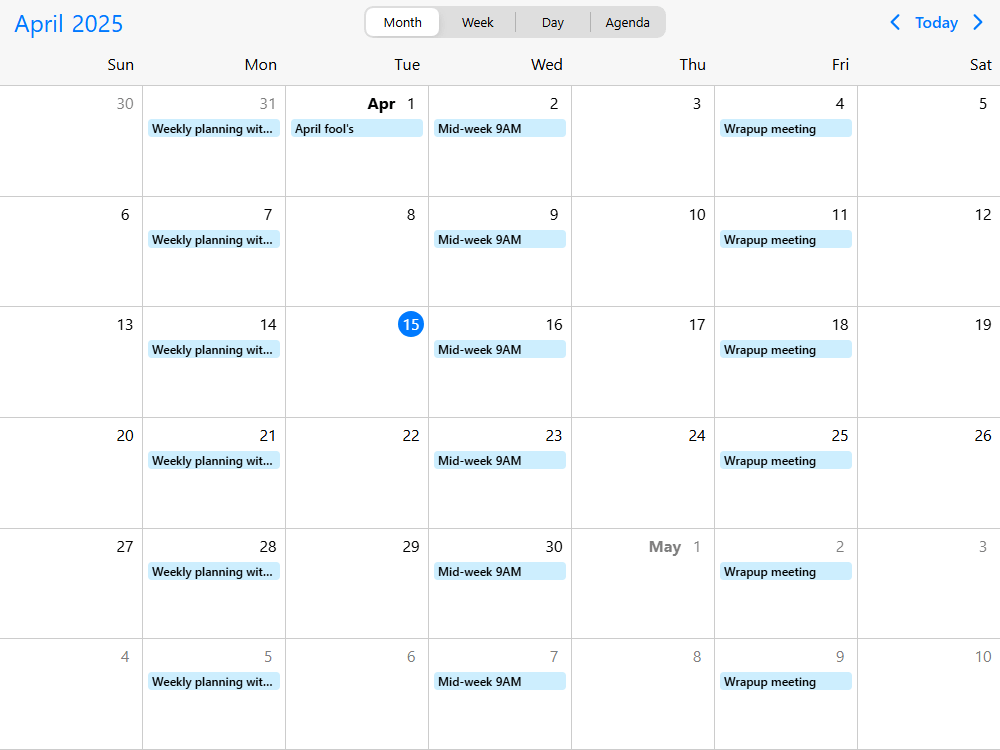
    Display a compact week, a full month or broader multi-month and annual overviews. Configure the number of visible weeks or months and provide navigation between ranges (week and month calendar, quarter and year layouts).

  • Event labels and day popovers

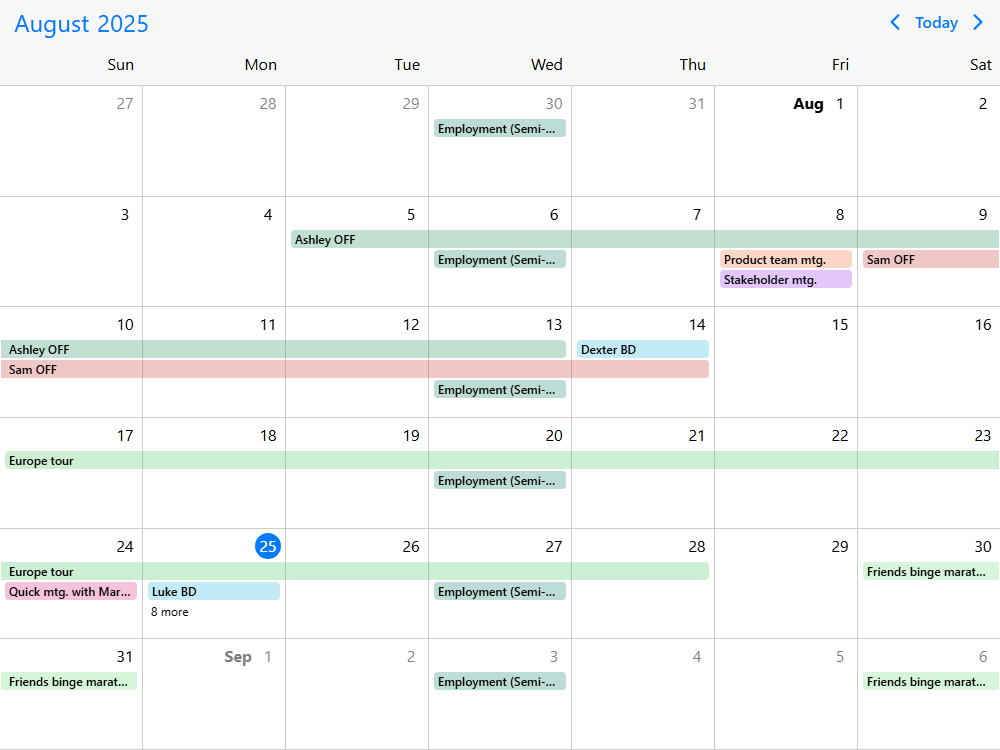
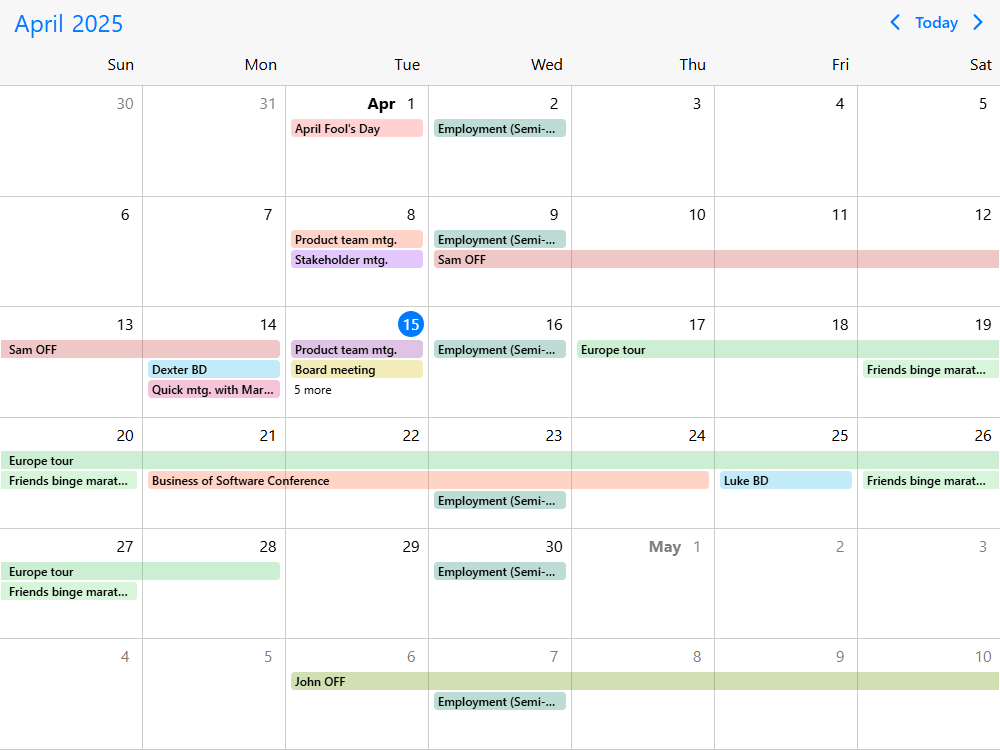
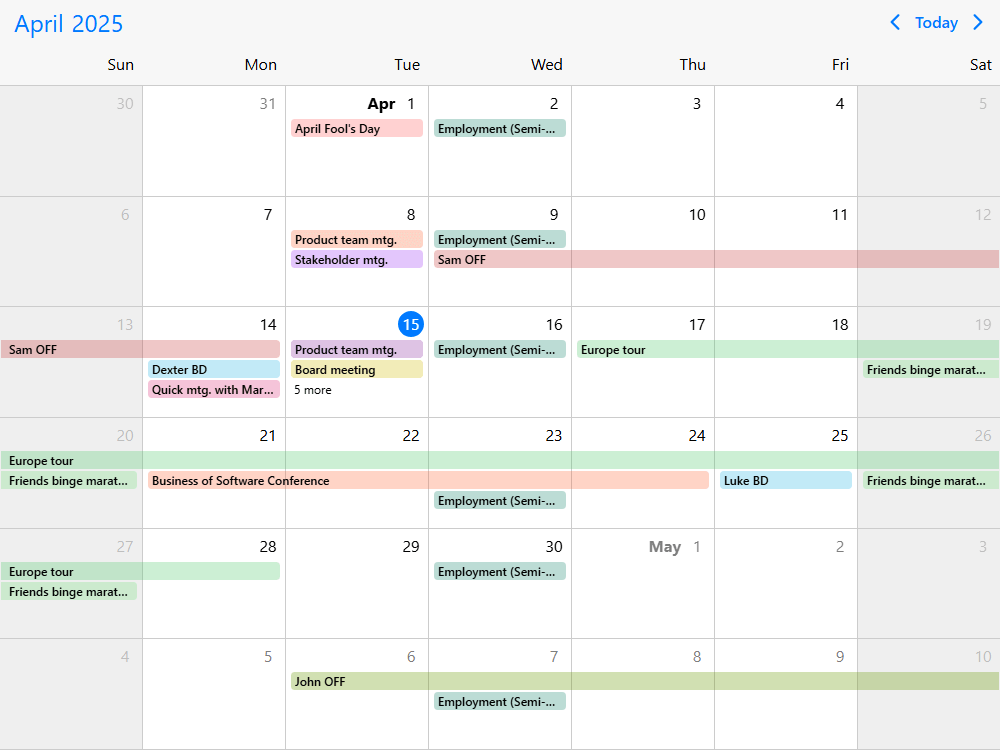
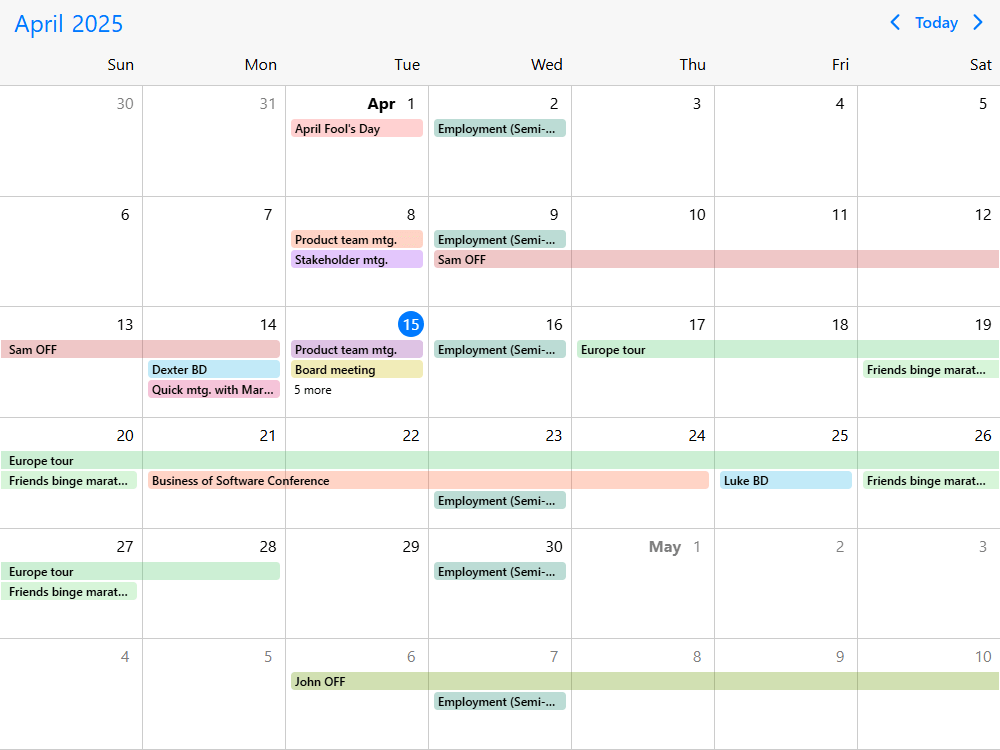
    Display event labels inside day cells, limit the labels to available space or show all labels with expanding rows. When a day has more events than fit, offer a popover that lists the remaining items (calendar event labels, label limits and more, event popovers).

  • Recurring, all-day and multi-day events

    Represent events with recurrence rules, all-day activities and schedules spanning multiple dates. Add an event editor for recurring series and individual occurrences if your workflow needs it (event recurrence, recurring event editor).

  • Drag and drop and event editing

    Enable creating, moving, resizing and deleting events where appropriate, and connect those actions to application data. Use a custom edit form for details that the calendar grid alone cannot capture (drag and drop, add, edit and delete).

  • Interaction permissions and blocked dates

    Restrict changes for particular events, users or date ranges. Mark unavailable days and apply UI checks for overlaps or past dates, while leaving authoritative validation and concurrent-booking checks to your application (editing permissions, blocked dates, past-date restrictions).

  • Custom event labels, cells and headers

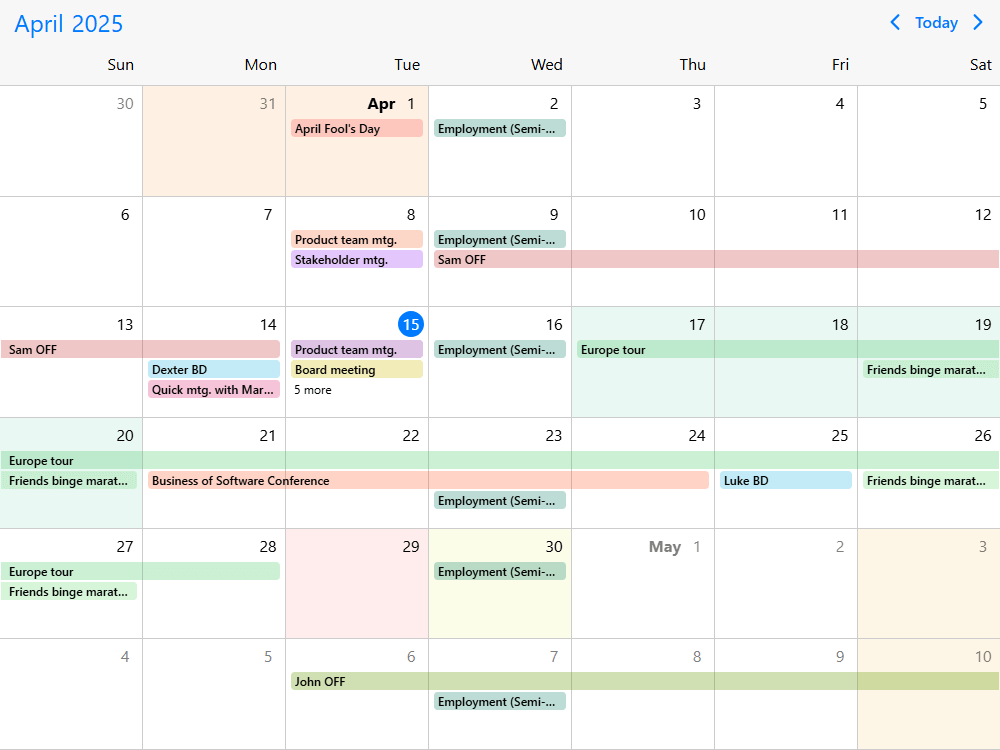
    Customize the visual content of event labels, day cells, header controls and detail popovers. Highlight dates with colors or show day-level summaries to make the calendar meaningful in your domain (custom labels, colored dates, day summaries).

  • Combine calendar, agenda, scheduler and timeline views

    Use the Calendar view on its own, place an Agenda beneath it for an event list, or switch to the time-grid Scheduler or resource Timeline for detailed planning. The view configuration lets you reuse the Event Calendar component across different screens (combining Event Calendar views, switching calendar views).

  • Date navigation, search and resource filtering

    Navigate between calendar ranges, connect an external date-selection control, add an event-search interface and filter the displayed events by resource. These patterns help users reach a specific event without scrolling through unrelated dates (date navigation, event search, resource filter).

  • Event data from your own APIs

    Pass events directly from your application, load them from a remote API or request additional records as the displayed date range changes. Respond to lifecycle callbacks to keep the UI aligned with your data (inline data, remote API, load on demand).

  • Time zones and localization

    Display event dates and times in your selected time zone, support localization and use the documented Gregorian, Jalali and Hijri calendar systems where needed (time-zone configuration, localized calendar, calendar systems).

  • Responsive calendar layouts and touch input

    Change the calendar presentation between smaller and larger screens. Use a compact calendar with an event list on mobile and a label-rich month grid on desktop, while keeping touch interaction available (mobile month view, desktop month view, responsive calendar).

  • Accessibility and keyboard support

    Mobiscroll provides keyboard navigation, WAI-ARIA labels and screen-reader support and is largely aligned with WCAG 2.2 A and AA. Full AA compliance is not claimed. Provide an accessible alternative to drag-and-drop actions when they are essential, and consult the Event Calendar accessibility documentation and WCAG support details.

  • Themes, printing and PDF export

    Choose an iOS, Material or Windows theme and adapt visual styles to your application. Printing the calendar or exporting a printable document uses the print module where it is included in the applicable license (printing example, printing documentation).

AI Tooling

Mobiscroll provides AI Tooling for teams creating event calendars with coding assistants. The hosted MCP server supplies version-aware API information, while agent skills and AI-readable documentation help assistants choose the right Event Calendar views, event data structure and interaction callbacks. The goal is to make implementation more accurate while leaving your application in control of its requirements.

For React, build with the native Eventcalendar component, props and state rather than a generic widget wrapper. Example request: "Build a React event calendar with week/month switching, recurring bookings and custom event labels. Use the current Mobiscroll API and show how edits update React state."

See the AI Tooling guide for MCP server and coding-agent setup. Give the assistant the Calendar view documentation and an existing demo as implementation context, then test the generated behavior.

AI Tooling setup guide

Event calendar demos

Browse React Event Calendar examples for responsive layouts, event editing, recurrence, templates and remote data. Start from the closest live example and connect it to your React state and application APIs.

For a quick start, see desktop calendar labels, drag-and-drop editing or event CRUD.

Your data and external calendars

The Event Calendar works with event records supplied by your own application, whether they come from inline data or a backend API. You can use every calendar view without connecting external calendars.

Need to connect your users' calendars? Mobiscroll Connect is a separate calendar connectivity product for Google Calendar, Outlook, Apple Calendar and CalDAV, with account connection, normalized data and synchronization. Mobiscroll Connect is sold separately and is not required for Event Calendar.

Explore Mobiscroll Connect

Frequently asked questions

What is an event calendar component?

An event calendar displays scheduled items on dates in a calendar grid, typically in week or month layouts. Mobiscroll's Calendar view supports event labels, day popovers, recurrence, custom rendering and event editing inside an application.

Is Event Calendar the same thing as Scheduler, Timeline and Agenda?

They are views of the same Mobiscroll Event Calendar component, but they present information differently. Calendar is the date grid; Scheduler is a vertical time grid; Timeline is a horizontal time axis with resources as rows; Agenda is a chronological event list. Choose the view that fits the task, or combine them (Event Calendar overview).

How is an event calendar different from a date-selection input?

An event calendar displays and manages scheduled events, while a date-selection input lets people choose dates or times in a form. Mobiscroll provides both types of component for different application tasks.

Can I build a month calendar with event labels?

Yes. Configure view.calendar with type: 'month' and labels: true to display events directly in day cells. Overflowing labels can open a day popover (labels example, more-label behavior).

Can users create and edit events by dragging them?

Yes. Enable drag creation, moving and resizing as appropriate and handle edits using your application's data and validation (drag and drop example).

Does it support recurring and multi-day events?

Yes. Event Calendar supports recurring events, all-day events and events spanning dates, with patterns for editing series and occurrences (recurring events example).

Can I show an agenda beneath a month or week calendar?

Yes. Calendar and Agenda are views of the same Event Calendar component and can be combined so date selection controls the event list (combined views).

Can I use my existing event API and database?

Yes. Supply data from your API to the component, load events as the displayed range changes and use callbacks to send edits back to your application (on-demand event loading).

Does it include a booking backend or prevent double bookings across all users?

No. Event Calendar supplies configurable event views and UI restrictions. Your application is responsible for data storage, permissions and authoritative rules for concurrent bookings.

Is Event Calendar accessible?

Mobiscroll supports keyboard navigation and screen readers and is largely aligned with WCAG 2.2 A and AA, but not yet fully AA compliant. Your application must also provide accessible alternatives for essential drag-and-drop actions; see accessibility support details.

Is Mobiscroll Event Calendar free or open source?

No. It is commercially licensed, with a free trial for evaluation. Compare Mobiscroll UI licenses.

Can I install it from the public npm registry?

No. Mobiscroll's framework packages are distributed through a private registry. The public CLI configures the registry and installs the package; see the Getting started instructions above.

Can AI coding assistants generate Event Calendar code?

Yes. The AI Tooling guide describes Mobiscroll's version-aware MCP server, agent skills and AI-readable references. Always validate generated implementations against the app's requirements.

Do I need Mobiscroll Connect to use Event Calendar?

No. Mobiscroll Connect is separately sold and optional for integrating users' external calendar accounts; Event Calendar can work entirely with your own event data.

Can Event Calendar be licensed for a SaaS product?

Yes. Calendaring for SaaS is offered for software delivered to multiple customers, separately from licenses for internal projects (see pricing).

Which React versions are supported?

React 17 through React 19. See the React installation guide.

Is Next.js supported?

Yes. The Next.js guide covers setup.

Does the React component support React Native?

No. Mobiscroll's React components run in React web apps, not React Native.

Licensing

Event Calendar is part of Mobiscroll UI. Choose an internal-project license for applications used within your organization or Calendaring for SaaS for software delivered to multiple customers. Optional modules, including printing, depend on the license. Compare Mobiscroll UI licenses.

Ready to build your event calendar?

Start with a working calendar example, install Mobiscroll for your framework and customize the views, event labels and interactions for your application's users. Explore the demo gallery or use the AI Tooling guide to help an AI coding assistant adapt a verified example.

Event calendar for other frameworks

Duplicate Session

You have signed in on a different machine. To keep everything in sync, you have been signed out of this session.

If you need to invite team members, manage seats and accounts you can do it from the licenses page.

Duplicate Session

We noticed you are logged in on a different machine and have closed your old session.

If you need to invite team members, manage seats and accounts you can do it from the licenses page.