Add, Edit and Delete Events
Usage
theme="ios" You can turn auto theming on and let it decide based on the platform.
Usage
themeVariant="light" You can turn auto dark mode on based on system settings.
Usage
  clickToCreate={true}
// click to create is on   dragToCreate={true}
// drag to create is on   dragToMove={true}
// reordering is on   dragToResize={true}
// resizing is on   eventDelete={true}
// deleting is on
Fine-tune drag & drop with these options, which are false by default.
Usage
locale={localeEn} Selecting the locale loads the localized settings and the translated UI text.
Add, Edit and Delete Events
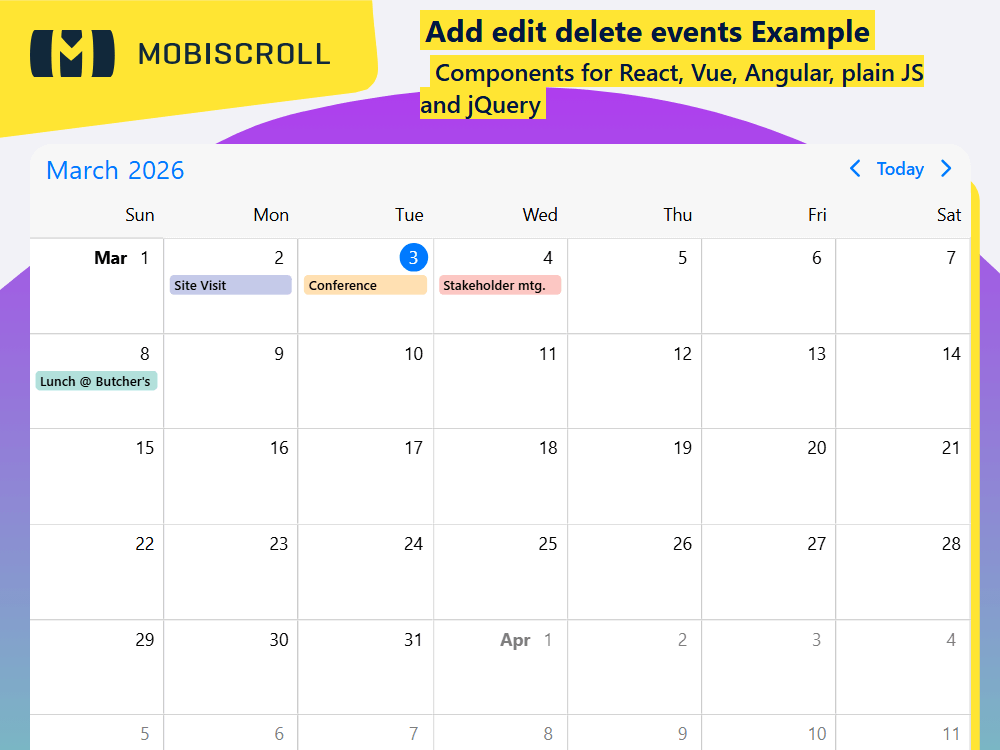
Drag to create and click to create is enabled. Events can be created by dragging or with double clicks. As soon as the initial position is confirmed, a temporary event is created and a custom edit dialog is shown for refinement. On cancel the temporary event will be removed and on confirmation the event will stay in the calendar.
Edit existing eventsDrag to resize and drag to move is enabled. Events can be reordered and resized. In addition to that, clicking on the event will open a custom dialog that enables editing the various properties.
Delete eventsDelete can be implemented inside the edit dialog with a button. It's just a matter of removing it from the data object. If a dialog is not shown on click, focused events can be deleted with the backspace and delete keys.
Demo
Code
View code on GitHub
import {
  Button,
  Datepicker,
  Dropdown,
  Eventcalendar,
  Input,
  Popup,
  Segmented,
  SegmentedGroup,
  setOptions,
  Snackbar,
  Switch,
  Textarea ,
} from '@mobiscroll/react';
import { useCallback, useMemo, useRef, useState } from 'react';

setOptions({
  locale:  ,
  theme: ' ',
  themeVariant: ' '
});

const defaultEvents = [
  {
    id: 1,
    start: '2026-10-08T13:00',
    end: '2026-10-08T13:45',
    title: "Lunch @ Butcher's",
    description: '',
    allDay: false,
    bufferBefore: 15,
    free: true,
    color: '#009788',
  },
  {
    id: 2,
    start: '2026-10-23T15:00',
    end: '2026-10-23T16:00',
    title: 'Conference',
    description: '',
    allDay: false,
    bufferBefore: 30,
    free: false,
    color: '#ff9900',
  },
  {
    id: 3,
    start: '2026-10-22T18:00',
    end: '2026-10-22T22:00',
    title: 'Site Visit',
    description: '',
    allDay: false,
    bufferBefore: 60,
    free: true,
    color: '#3f51b5',
  },
  {
    id: 4,
    start: '2026-10-24T10:30',
    end: '2026-10-24T11:30',
    title: 'Stakeholder mtg.',
    description: '',
    allDay: false,
    free: false,
    color: '#f44437',
  },
];

const colors = ['#ffeb3c', '#ff9900', '#f44437', '#ea1e63', '#9c26b0', '#3f51b5', '', '#009788', '#4baf4f', '#7e5d4e'];

function App() {
  const [myEvents, setMyEvents] = useState(defaultEvents);
  const [editedEvent, setEditedEvent] = useState({});

  const [eventId, setEventId] = useState('');
  const [eventTitle, setEventTitle] = useState('');
  const [eventDescription, setEventDescription] = useState('');
  const [eventAllDay, setEventAllDay] = useState(false);
  const [eventStart, setEventStart] = useState(null);
  const [eventEnd, setEventEnd] = useState(null);
  const [dateStart, startRef] = useState(null);
  const [dateEnd, endRef] = useState(null);
  const [eventBuffer, setEventBuffer] = useState(0);
  const [eventColor, setEventColor] = useState('');
  const [eventStatus, setEventStatus] = useState(false);

  const [addEditPopupAnchor, setAddEditPopupAnchor] = useState(null);
  const [addEditPopupOpen, setAddEditPopupOpen] = useState(false);
  const [colorPickerAnchor, setColorPickerAnchor] = useState(null);
  const [colorPickerOpen, setColorPickerOpen] = useState(false);
  const [selectedColor, setSelectedColor] = useState('');
  const [isEdit, setEdit] = useState(false);
  const [isSuccess, setSuccess] = useState(false);
  const [snackbarOpen, setSnackbarOpen] = useState(false);

  const calInst = useRef();
  const colorPickerRef = useRef();

  const applySelectedColor = useCallback((color) => {
    setEventColor(color);
    setColorPickerOpen(false);
  }, []);

  const myView = useMemo(() => ({ calendar: { labels: true } }), []);

  const colorPickerButtons = useMemo(
    () => [
      'cancel',
      {
        text: 'Set',
        keyCode: 'enter',
        handler: () => applySelectedColor(selectedColor),
        cssClass: 'mbsc-popup-button-primary',
      },
    ],
    [applySelectedColor, selectedColor],
  );

  const colorPickerResponsive = useMemo(
    () => ({
      medium: {
        display: 'anchored',
        anchor: colorPickerAnchor,
        buttons: [],
      },
    }),
    [colorPickerAnchor],
  );

  const datepickerControls = useMemo(() => (eventAllDay ? ['date'] : ['datetime']), [eventAllDay]);

  const datepickerResponsive = useMemo(
    () =>
      eventAllDay
        ? {
            medium: { controls: ['calendar'], touchUi: false },
          }
        : {
            medium: { controls: ['calendar', 'time'], touchUi: false },
          },
    [eventAllDay],
  );

  const addEditPopupHeaderText = useMemo(() => (isEdit ? 'Edit event' : 'New Event'), [isEdit]);

  const snackbarButton = useMemo(
    () => ({
      action: () => {
        setMyEvents((prevEvents) => [...prevEvents, editedEvent]);
      },
      text: 'Undo',
    }),
    [editedEvent],
  );

  const eventData = useMemo(
    () => ({
      id: eventId,
      title: eventTitle,
      description: eventDescription,
      allDay: eventAllDay,
      start: eventStart,
      end: eventEnd,
      bufferBefore: eventBuffer,
      color: eventColor,
      free: eventStatus,
    }),
    [eventId, eventTitle, eventDescription, eventAllDay, eventStart, eventEnd, eventBuffer, eventColor, eventStatus],
  );

  const addEditPopupButtons = useMemo(() => {
    if (isEdit) {
      return [
        'cancel',
        {
          text: 'Save',
          keyCode: 'enter',
          cssClass: 'mbsc-popup-button-primary',
          handler: () => {
            const updatedEvent = eventData;
            const index = myEvents.findIndex((x) => x.id === updatedEvent.id);
            const newEventList = [...myEvents];

            // Update event in the list
            newEventList.splice(index, 1, updatedEvent);
            setMyEvents(newEventList);

            calInst.current.navigateToEvent(updatedEvent);
            setAddEditPopupOpen(false);
          },
        },
      ];
    } else {
      return [
        'cancel',
        {
          text: 'Add',
          keyCode: 'enter',
          cssClass: 'mbsc-popup-button-primary',
          handler: () => {
            const newEvent = eventData;

            // Add new event to the list
            setMyEvents([...myEvents, newEvent]);

            setSuccess(true);
            calInst.current.navigateToEvent(newEvent);
            setAddEditPopupOpen(false);
          },
        },
      ];
    }
  }, [isEdit, eventData, myEvents]);

  const addEditPopupResponsive = useMemo(
    () => ({
      medium: {
        display: 'anchored',
        width: 400,
        fullScreen: false,
        touchUi: false,
      },
    }),
    [],
  );

  const handleTitleChange = useCallback((ev) => {
    setEventTitle(ev.target.value);
  }, []);

  const handleDescriptionChange = useCallback((ev) => {
    setEventDescription(ev.target.value);
  }, []);

  const handleAllDayChange = useCallback((ev) => {
    setEventAllDay(ev.target.checked);
  }, []);

  const handleDateChange = useCallback((args) => {
    setEventStart(args.value[0]);
    setEventEnd(args.value[1]);
  }, []);

  const handleBufferChange = useCallback((ev) => {
    setEventBuffer(+ev.target.value);
  }, []);

  const handleStatusChange = useCallback((ev) => {
    setEventStatus(ev.target.value === 'free');
  }, []);

  const fillPopup = useCallback((event) => {
    setEventId(event.id);
    setEventTitle(event.title || '');
    setEventDescription(event.description || '');
    setEventAllDay(event.allDay);
    setEventStart(event.start);
    setEventEnd(event.end);
    setEventBuffer(event.bufferBefore || 0);
    setEventColor(event.color || '');
    setEventStatus(event.free);
  }, []);

  const createEditPopup = useCallback(
    (event, target) => {
      setEdit(true);
      setEditedEvent(event);
      setAddEditPopupAnchor(target);
      fillPopup(event);
      setAddEditPopupOpen(true);
    },
    [fillPopup],
  );

  const createAddPopup = useCallback(
    (event, target) => {
      setSuccess(false);
      setEdit(false);
      setEditedEvent(event);
      setAddEditPopupAnchor(target);
      fillPopup({ ...event, allDay: false });
      setAddEditPopupOpen(true);
    },
    [fillPopup],
  );

  const handleEventClick = useCallback(
    (args) => {
      createEditPopup(args.event, args.domEvent.currentTarget);
    },
    [createEditPopup],
  );

  const handleEventCreated = useCallback(
    (args) => {
      createAddPopup(args.event, args.target);
    },
    [createAddPopup],
  );

  const handleEventDeleted = useCallback(() => {
    setSnackbarOpen(true);
  }, []);

  const handleAddEditPopupClose = useCallback(() => {
    if (!isEdit && !isSuccess) {
      // Refresh the list, if add popup was canceled, to remove the temporary event
      setMyEvents([...myEvents]);
    }
    setAddEditPopupOpen(false);
  }, [isEdit, isSuccess, myEvents]);

  const handleDeleteButtonClick = useCallback(() => {
    const filteredEvents = myEvents.filter((e) => e.id !== editedEvent.id);
    setMyEvents(filteredEvents);
    setAddEditPopupOpen(false);
    setSnackbarOpen(true);
  }, [editedEvent, myEvents]);

  const handleSnackbarClose = useCallback(() => {
    setSnackbarOpen(false);
  }, []);

  const handleEventColorClick = useCallback((args) => {
    setColorPickerAnchor(args.currentTarget);
    setColorPickerOpen(true);
  }, []);

  const handleColorChange = useCallback(
    (args) => {
      const color = args.currentTarget.getAttribute('data-value');
      setEventColor(color);
      setSelectedColor(color);
      if (!colorPickerRef.current.s.buttons.length) {
        applySelectedColor(color);
      }
    },
    [applySelectedColor],
  );

  const handleColorPickerClose = useCallback(() => {
    setColorPickerOpen(false);
  }, []);

  return (
    <>
      <Eventcalendar
        clickToCreate={true}
        dragToCreate={true}
        dragToMove={true}
        dragToResize={true}
        data={myEvents}
        ref={calInst}
        view={myView}
        onEventClick={handleEventClick}
        onEventCreated={handleEventCreated}
        onEventDeleted={handleEventDeleted}
      />

      <Popup
        display="bottom"
        contentPadding={false}
        fullScreen={true}
        scrollLock={false}
        headerText={addEditPopupHeaderText}
        anchor={addEditPopupAnchor}
        buttons={addEditPopupButtons}
        responsive={addEditPopupResponsive}
        isOpen={addEditPopupOpen}
        onClose={handleAddEditPopupClose}
      >
        <div className="mbsc-form-group">
          <Input label="Title" value={eventTitle} onChange={handleTitleChange} />
          <Textarea label="Description" value={eventDescription} onChange={handleDescriptionChange} />
        </div>

        <div className="mbsc-form-group">
          <div>
            <Switch label="All-day" checked={eventAllDay} onChange={handleAllDayChange} />

            <Datepicker
              select="range"
              display="anchored"
              controls={datepickerControls}
              touchUi={true}
              startInput={dateStart}
              endInput={dateEnd}
              showRangeLabels={false}
              responsive={datepickerResponsive}
              onChange={handleDateChange}
              value={[eventStart, eventEnd]}
            />

            <Input ref={startRef} label="Starts" />
            <Input ref={endRef} label="Ends" />

            {!eventAllDay && (
              <Dropdown label="Travel time" value={eventBuffer} onChange={handleBufferChange}>
                <option value="0">None</option>
                <option value="5">5 minutes</option>
                <option value="15">15 minutes</option>
                <option value="30">30 minutes</option>
                <option value="60">1 hour</option>
                <option value="90">1.5 hours</option>
                <option value="120">2 hours</option>
              </Dropdown>
            )}
          </div>

          <div onClick={handleEventColorClick} className="mbsc-flex mds-crud-event-color-cont">
            <div className="mbsc-flex-1-0">Color</div>
            <div className="mds-crud-selected-event-color" style={{ background: eventColor }} />
          </div>

          <SegmentedGroup onChange={handleStatusChange}>
            <Segmented value="busy" checked={!eventStatus}>
              Show as busy
            </Segmented>
            <Segmented value="free" checked={eventStatus}>
              Show as free
            </Segmented>
          </SegmentedGroup>

          {isEdit && (
            <div className="mbsc-button-group">
              <Button className="mbsc-button-block" color="danger" variant="outline" onClick={handleDeleteButtonClick}>
                Delete event
              </Button>
            </div>
          )}
        </div>
      </Popup>

      <Popup
        display="bottom"
        contentPadding={false}
        showArrow={false}
        showOverlay={false}
        ref={colorPickerRef}
        anchor={colorPickerAnchor}
        isOpen={colorPickerOpen}
        buttons={colorPickerButtons}
        responsive={colorPickerResponsive}
        onClose={handleColorPickerClose}
      >
        <div className="mbsc-flex mds-crud-color-row">
          {colors.slice(0, 5).map((color) => (
            <div
              key={color}
              onClick={handleColorChange}
              className={`mds-crud-color-value ${eventColor === color ? 'mds-crud-color-value-selected' : ''}`}
              data-value={color}
            >
              <div className="mds-crud-color mbsc-icon mbsc-font-icon mbsc-icon-material-check" style={{ background: color }} />
            </div>
          ))}
        </div>

        <div className="mbsc-flex mds-crud-color-row">
          {colors.slice(5).map((color) => (
            <div
              key={color}
              onClick={handleColorChange}
              className={`mds-crud-color-value ${eventColor === color ? 'mds-crud-color-value-selected' : ''}`}
              data-value={color}
            >
              <div className="mds-crud-color mbsc-icon mbsc-font-icon mbsc-icon-material-check" style={{ background: color }} />
            </div>
          ))}
        </div>
      </Popup>

      <Snackbar isOpen={snackbarOpen} message="Event deleted" button={snackbarButton} onClose={handleSnackbarClose} />
    </>
  );
}

export default App;
import {
  Button,
  Datepicker,
  Dropdown,
  Eventcalendar,
  Input,
  MbscCalendarEvent,
  MbscDatepickerChangeEvent,
  MbscDatepickerControl,
  MbscDatepickerOptions,
  MbscDateType,
  MbscEventcalendarView,
  MbscEventClickEvent,
  MbscEventCreatedEvent,
  MbscPopupButton,
  MbscPopupOptions,
  MbscResponsiveOptions,
  Popup,
  Segmented,
  SegmentedGroup,
  setOptions,
  Snackbar,
  Switch,
  Textarea ,
} from '@mobiscroll/react';
import { ChangeEvent, FC, MouseEvent, useCallback, useMemo, useRef, useState } from 'react';

setOptions({
  locale:  ,
  theme: ' ',
  themeVariant: ' '
});

const defaultEvents: MbscCalendarEvent[] = [
  {
    id: 1,
    start: '2026-10-08T13:00',
    end: '2026-10-08T13:45',
    title: "Lunch @ Butcher's",
    description: '',
    allDay: false,
    bufferBefore: 15,
    free: true,
    color: '#009788',
  },
  {
    id: 2,
    start: '2026-10-23T15:00',
    end: '2026-10-23T16:00',
    title: 'Conference',
    description: '',
    allDay: false,
    bufferBefore: 30,
    free: false,
    color: '#ff9900',
  },
  {
    id: 3,
    start: '2026-10-22T18:00',
    end: '2026-10-22T22:00',
    title: 'Site Visit',
    description: '',
    allDay: false,
    bufferBefore: 60,
    free: true,
    color: '#3f51b5',
  },
  {
    id: 4,
    start: '2026-10-24T10:30',
    end: '2026-10-24T11:30',
    title: 'Stakeholder mtg.',
    description: '',
    allDay: false,
    free: false,
    color: '#f44437',
  },
];

const colors = ['#ffeb3c', '#ff9900', '#f44437', '#ea1e63', '#9c26b0', '#3f51b5', '', '#009788', '#4baf4f', '#7e5d4e'];

const App: FC = () => {
  const [myEvents, setMyEvents] = useState<MbscCalendarEvent[]>(defaultEvents);
  const [editedEvent, setEditedEvent] = useState<MbscCalendarEvent | null>(null);

  const [eventId, setEventId] = useState<string | number | null>(null);
  const [eventTitle, setEventTitle] = useState<string>('');
  const [eventDescription, setEventDescription] = useState<string>('');
  const [eventAllDay, setEventAllDay] = useState<boolean>(false);
  const [eventStart, setEventStart] = useState<MbscDateType | null>(null);
  const [eventEnd, setEventEnd] = useState<MbscDateType | null>(null);
  const [dateStart, startRef] = useState<MbscDateType | null>(null);
  const [dateEnd, endRef] = useState<MbscDateType | null>(null);
  const [eventBuffer, setEventBuffer] = useState<number>(0);
  const [eventColor, setEventColor] = useState<string>('');
  const [eventStatus, setEventStatus] = useState<boolean>(false);

  const [addEditPopupAnchor, setAddEditPopupAnchor] = useState<HTMLElement>();
  const [addEditPopupOpen, setAddEditPopupOpen] = useState<boolean>(false);
  const [colorPickerAnchor, setColorPickerAnchor] = useState<HTMLElement>();
  const [colorPickerOpen, setColorPickerOpen] = useState<boolean>(false);
  const [selectedColor, setSelectedColor] = useState<string>('');
  const [isEdit, setEdit] = useState<boolean>(false);
  const [isSuccess, setSuccess] = useState<boolean>(false);
  const [snackbarOpen, setSnackbarOpen] = useState<boolean>(false);

  const calInst = useRef<Eventcalendar | null>(null);
  const colorPickerRef = useRef<Popup | null>(null);

  const applySelectedColor = useCallback((color: string) => {
    setEventColor(color);
    setColorPickerOpen(false);
  }, []);

  const myView: MbscEventcalendarView = useMemo(() => ({ calendar: { labels: true } }), []);

  const colorPickerButtons = useMemo<(string | MbscPopupButton)[]>(
    () => [
      'cancel',
      {
        text: 'Set',
        keyCode: 'enter',
        handler: () => applySelectedColor(selectedColor),
        cssClass: 'mbsc-popup-button-primary',
      },
    ],
    [applySelectedColor, selectedColor],
  );

  const colorPickerResponsive: MbscResponsiveOptions<MbscPopupOptions> = useMemo(
    () => ({
      medium: {
        display: 'anchored',
        anchor: colorPickerAnchor,
        buttons: [],
      },
    }),
    [colorPickerAnchor],
  );

  const datepickerControls = useMemo(() => (eventAllDay ? ['date'] : ['datetime']) as MbscDatepickerControl[], [eventAllDay]);

  const datepickerResponsive: MbscResponsiveOptions<MbscDatepickerOptions> = useMemo(
    () =>
      eventAllDay
        ? {
            medium: { controls: ['calendar'], touchUi: false },
          }
        : {
            medium: { controls: ['calendar', 'time'], touchUi: false },
          },
    [eventAllDay],
  );

  const addEditPopupHeaderText = useMemo<string>(() => (isEdit ? 'Edit event' : 'New Event'), [isEdit]);

  const snackbarButton = useMemo(
    () => ({
      action: () => {
        setMyEvents((prevEvents) => [...prevEvents, editedEvent!]);
      },
      text: 'Undo',
    }),
    [editedEvent],
  );

  const eventData = useMemo<MbscCalendarEvent>(
    () => ({
      id: eventId!,
      title: eventTitle,
      description: eventDescription,
      allDay: eventAllDay,
      start: eventStart!,
      end: eventEnd!,
      bufferBefore: eventBuffer,
      color: eventColor,
      free: eventStatus,
    }),
    [eventId, eventTitle, eventDescription, eventAllDay, eventStart, eventEnd, eventBuffer, eventColor, eventStatus],
  );

  const addEditPopupButtons = useMemo<(string | MbscPopupButton)[]>(() => {
    if (isEdit) {
      return [
        'cancel',
        {
          text: 'Save',
          keyCode: 'enter',
          cssClass: 'mbsc-popup-button-primary',
          handler: () => {
            const updatedEvent: MbscCalendarEvent = eventData;
            const index = myEvents.findIndex((x) => x.id === updatedEvent.id);
            const newEventList = [...myEvents];

            // Update event in the list
            newEventList.splice(index, 1, updatedEvent);
            setMyEvents(newEventList);

            calInst.current!.navigateToEvent(updatedEvent);
            setAddEditPopupOpen(false);
          },
        },
      ];
    } else {
      return [
        'cancel',
        {
          text: 'Add',
          keyCode: 'enter',
          cssClass: 'mbsc-popup-button-primary',
          handler: () => {
            const newEvent: MbscCalendarEvent = eventData;

            // Add new event to the list
            setMyEvents([...myEvents, newEvent]);

            setSuccess(true);
            calInst.current!.navigateToEvent(newEvent);
            setAddEditPopupOpen(false);
          },
        },
      ];
    }
  }, [isEdit, eventData, myEvents]);

  const addEditPopupResponsive = useMemo<MbscResponsiveOptions<MbscPopupOptions>>(
    () => ({
      medium: {
        display: 'anchored',
        width: 400,
        fullScreen: false,
        touchUi: false,
      },
    }),
    [],
  );

  const handleTitleChange = useCallback((ev: ChangeEvent<HTMLInputElement>) => {
    setEventTitle(ev.target.value);
  }, []);

  const handleDescriptionChange = useCallback((ev: ChangeEvent<HTMLTextAreaElement>) => {
    setEventDescription(ev.target.value);
  }, []);

  const handleAllDayChange = useCallback((ev: ChangeEvent<HTMLInputElement>) => {
    setEventAllDay(ev.target.checked);
  }, []);

  const handleDateChange = useCallback((args: MbscDatepickerChangeEvent) => {
    const value = args.value as MbscDateType[];
    setEventStart(value[0]);
    setEventEnd(value[1]);
  }, []);

  const handleBufferChange = useCallback((ev: ChangeEvent<HTMLInputElement>) => {
    setEventBuffer(+ev.target.value);
  }, []);

  const handleStatusChange = useCallback((ev: ChangeEvent<HTMLInputElement>) => {
    setEventStatus(ev.target.value === 'free');
  }, []);

  const fillPopup = useCallback((event: MbscCalendarEvent) => {
    setEventId(event.id!);
    setEventTitle(event.title || '');
    setEventDescription(event.description || '');
    setEventAllDay(event.allDay!);
    setEventStart(event.start!);
    setEventEnd(event.end!);
    setEventBuffer(event.bufferBefore || 0);
    setEventColor(event.color || '');
    setEventStatus(event.free);
  }, []);

  const createEditPopup = useCallback(
    (event: MbscCalendarEvent, target: HTMLElement) => {
      setEdit(true);
      setEditedEvent(event);
      setAddEditPopupAnchor(target);
      fillPopup(event);
      setAddEditPopupOpen(true);
    },
    [fillPopup],
  );

  const createAddPopup = useCallback(
    (event: MbscCalendarEvent, target: HTMLElement) => {
      setSuccess(false);
      setEdit(false);
      setEditedEvent(event);
      setAddEditPopupAnchor(target);
      fillPopup({ ...event, allDay: false });
      setAddEditPopupOpen(true);
    },
    [fillPopup],
  );

  const handleEventClick = useCallback(
    (args: MbscEventClickEvent) => {
      createEditPopup(args.event, args.domEvent.currentTarget);
    },
    [createEditPopup],
  );

  const handleEventCreated = useCallback(
    (args: MbscEventCreatedEvent) => {
      createAddPopup(args.event, args.target!);
    },
    [createAddPopup],
  );

  const handleEventDeleted = useCallback(() => {
    setSnackbarOpen(true);
  }, []);

  const handleAddEditPopupClose = useCallback(() => {
    if (!isEdit && !isSuccess) {
      // Refresh the list, if add popup was canceled, to remove the temporary event
      setMyEvents([...myEvents]);
    }
    setAddEditPopupOpen(false);
  }, [isEdit, isSuccess, myEvents]);

  const handleDeleteButtonClick = useCallback(() => {
    const filteredEvents = myEvents.filter((e) => e.id !== editedEvent!.id);
    setMyEvents(filteredEvents);
    setAddEditPopupOpen(false);
    setSnackbarOpen(true);
  }, [editedEvent, myEvents]);

  const handleSnackbarClose = useCallback(() => {
    setSnackbarOpen(false);
  }, []);

  const handleEventColorClick = useCallback((ev: MouseEvent<HTMLDivElement>) => {
    setColorPickerAnchor(ev.currentTarget);
    setColorPickerOpen(true);
  }, []);

  const handleColorChange = useCallback(
    (ev: MouseEvent<HTMLDivElement>) => {
      const color = ev.currentTarget.getAttribute('data-value') || '';
      setEventColor(color);
      setSelectedColor(color);
      if (!colorPickerRef.current!.s.buttons!.length) {
        applySelectedColor(color);
      }
    },
    [applySelectedColor],
  );

  const handleColorPickerClose = useCallback(() => {
    setColorPickerOpen(false);
  }, []);

  return (
    <>
      <Eventcalendar
        clickToCreate={true}
        dragToCreate={true}
        dragToMove={true}
        dragToResize={true}
        data={myEvents}
        ref={calInst}
        view={myView}
        onEventClick={handleEventClick}
        onEventCreated={handleEventCreated}
        onEventDeleted={handleEventDeleted}
      />

      <Popup
        display="bottom"
        contentPadding={false}
        fullScreen={true}
        scrollLock={false}
        headerText={addEditPopupHeaderText}
        anchor={addEditPopupAnchor}
        buttons={addEditPopupButtons}
        responsive={addEditPopupResponsive}
        isOpen={addEditPopupOpen}
        onClose={handleAddEditPopupClose}
      >
        <div className="mbsc-form-group">
          <Input label="Title" value={eventTitle} onChange={handleTitleChange} />
          <Textarea label="Description" value={eventDescription} onChange={handleDescriptionChange} />
        </div>

        <div className="mbsc-form-group">
          <div>
            <Switch label="All-day" checked={eventAllDay} onChange={handleAllDayChange} />

            <Datepicker
              select="range"
              display="anchored"
              controls={datepickerControls}
              touchUi={true}
              startInput={dateStart}
              endInput={dateEnd}
              showRangeLabels={false}
              responsive={datepickerResponsive}
              onChange={handleDateChange}
              value={[eventStart, eventEnd]}
            />

            <Input ref={startRef} label="Starts" />
            <Input ref={endRef} label="Ends" />

            {!eventAllDay && (
              <Dropdown label="Travel time" value={String(eventBuffer)} onChange={handleBufferChange}>
                <option value="0">None</option>
                <option value="5">5 minutes</option>
                <option value="15">15 minutes</option>
                <option value="30">30 minutes</option>
                <option value="60">1 hour</option>
                <option value="90">1.5 hours</option>
                <option value="120">2 hours</option>
              </Dropdown>
            )}
          </div>

          <div onClick={handleEventColorClick} className="mbsc-flex mds-crud-event-color-cont">
            <div className="mbsc-flex-1-0">Color</div>
            <div className="mds-crud-selected-event-color" style={{ background: eventColor }} />
          </div>

          <SegmentedGroup onChange={handleStatusChange}>
            <Segmented value="busy" checked={!eventStatus}>
              Show as busy
            </Segmented>
            <Segmented value="free" checked={eventStatus}>
              Show as free
            </Segmented>
          </SegmentedGroup>

          {isEdit && (
            <div className="mbsc-button-group">
              <Button className="mbsc-button-block" color="danger" variant="outline" onClick={handleDeleteButtonClick}>
                Delete event
              </Button>
            </div>
          )}
        </div>
      </Popup>

      <Popup
        display="bottom"
        contentPadding={false}
        showArrow={false}
        showOverlay={false}
        ref={colorPickerRef}
        anchor={colorPickerAnchor}
        isOpen={colorPickerOpen}
        buttons={colorPickerButtons}
        responsive={colorPickerResponsive}
        onClose={handleColorPickerClose}
      >
        <div className="mbsc-flex mds-crud-color-row">
          {colors.slice(0, 5).map((color) => (
            <div
              key={color}
              onClick={handleColorChange}
              className={`mds-crud-color-value ${eventColor === color ? 'mds-crud-color-value-selected' : ''}`}
              data-value={color}
            >
              <div className="mds-crud-color mbsc-icon mbsc-font-icon mbsc-icon-material-check" style={{ background: color }} />
            </div>
          ))}
        </div>

        <div className="mbsc-flex mds-crud-color-row">
          {colors.slice(5).map((color) => (
            <div
              key={color}
              onClick={handleColorChange}
              className={`mds-crud-color-value ${eventColor === color ? 'mds-crud-color-value-selected' : ''}`}
              data-value={color}
            >
              <div className="mds-crud-color mbsc-icon mbsc-font-icon mbsc-icon-material-check" style={{ background: color }} />
            </div>
          ))}
        </div>
      </Popup>

      <Snackbar isOpen={snackbarOpen} message="Event deleted" button={snackbarButton} onClose={handleSnackbarClose} />
    </>
  );
};
export default App;
.mds-crud-event-color-cont {
  margin: 16px;
  align-items: center;
  cursor: pointer;
}

.mds-crud-selected-event-color {
  width: 30px;
  height: 30px;
  border-radius: 15px;
  margin-right: 10px;
  margin-left: 240px;
  background: #5ac8fa;
}

.mds-crud-color-row {
  justify-content: center;
  margin: 5px;
}

.mds-crud-color {
  position: relative;
  min-width: 46px;
  min-height: 46px;
  margin: 2px;
  cursor: pointer;
  border-radius: 23px;
  background: #5ac8fa;
}

.mds-crud-color:before {
  position: absolute;
  top: 50%;
  left: 50%;
  margin-top: -10px;
  margin-left: -10px;
  color: #f7f7f7;
  font-size: 20px;
  text-shadow: 0 0 3px #000;
  display: none;
}

.mds-crud-color-value {
  padding: 3px;
  margin: 2px;
}

.mds-crud-color-value.mds-crud-color-value-selected,
.mds-crud-color-value:hover {
  box-shadow: inset 0 0 0 3px #007bff;
  border-radius: 48px;
}

.mds-crud-color-value.mds-crud-color-value-selected .mds-crud-color:before {
  display: block;
}