Event Rendering

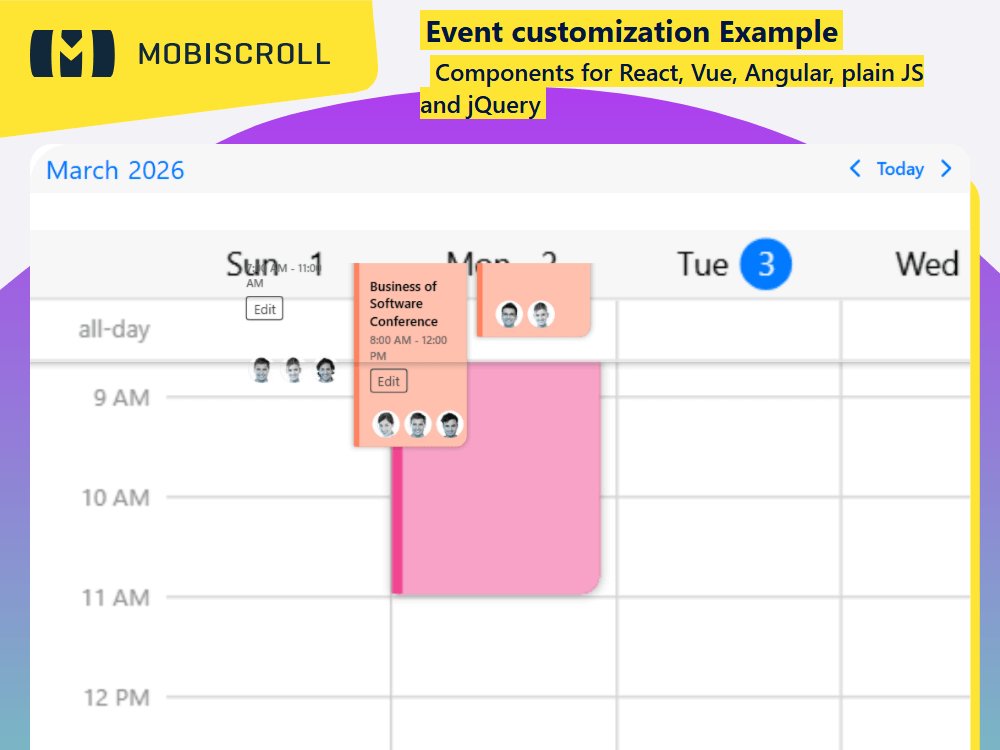
Above the built in rendering mode you can either customize the full event or just the content of the event. If we break up the event into pieces there are six fields that we are interested in:

  • The event start and end time
  • Whether it is an allDay event or not
  • The event color
  • The event title
  • bufferBefore
  • bufferAfter

The scheduler takes care of positioning the event container and everything else is your responsibility. You will have to place and provide styling to all event fields. Beside the ones mentioned above you'll be able to render other custom fields, like description, location, participants ... and add buttons, custom interactions.

Pass the event template to the schedulerEventTemplate option. All original event fields along with computed fields like isMultiDay, lastDay will be available inside the template.

The before/after buffers can help you visualise delays or added minutes for tasks. For example travel time for meetings/appointments, check in/check out for flights.

Templating the buffers are handled through the bufferBeforeTemplate and bufferAfterTemplate options.

Get started with this example

Demo

Loading the live demo

Preview in full screen

Render custom event cards in the Scheduler — add color stripes, labels, avatars, action buttons, and travel-time buffers.

Code

import { CommonModule } from '@angular/common';
import { HttpClient } from '@angular/common/http';
import { Component, OnInit } from '@angular/core';
import { MbscCalendarEvent, MbscEventcalendarOptions, MbscModule, Notifications  } from '@mobiscroll/angular';

@Component({
  selector: 'app-root', 
  templateUrl: './app.component.html',
  providers: [Notifications],
  standalone: true,
  imports: [CommonModule, MbscModule],
})
export class AppComponent implements OnInit {
  constructor(
    private http: HttpClient,
    private notify: Notifications,
  ) {}

  myEvents: MbscCalendarEvent[] = [];

  eventSettings: MbscEventcalendarOptions = {
    locale:  ,
    theme: ' ',
    themeVariant: ' ',
    clickToCreate:  ,
    dragToCreate:  ,
    dragToMove:  ,
    dragToResize:  ,
    eventDelete:  ,
    responsive: {
      xsmall: {
        view: {
          scheduler: {
            type: 'day',
          },
        },
      },
      medium: {
        view: {
          scheduler: {
            type: 'week',
          },
        },
      },
    },
  };

  getCategory(id: number): any {
    switch (id) {
      case 1:
        return {
          name: 'Project X',
          color: '#ff825d',
        };
      case 2:
        return {
          name: 'Stakeholder Mtg.',
          color: '#bd75d0',
        };
      case 3:
        return {
          name: 'Status Update',
          color: '#7f9230',
        };
      case 4:
        return {
          name: 'Information Sharing',
          color: '#f14590',
        };
      case 5:
        return {
          name: 'Team Building',
          color: '#64cad4',
        };
      default:
        return {
          name: 'No category',
          color: '#5ac8fa',
        };
    }
  }

  getParticipant(id: number): any {
    switch (id) {
      case 1:
        return {
          name: 'Lisa',
          img: 'https://img.mobiscroll.com/demos/f1.png',
        };
      case 2:
        return {
          name: 'Sharon',
          img: 'https://img.mobiscroll.com/demos/f2.png',
        };
      case 3:
        return {
          name: 'Emily',
          img: 'https://img.mobiscroll.com/demos/f3.png',
        };
      case 4:
        return {
          name: 'Rose',
          img: 'https://img.mobiscroll.com/demos/f4.png',
        };
      case 5:
        return {
          name: 'Matt',
          img: 'https://img.mobiscroll.com/demos/m1.png',
        };
      case 6:
        return {
          name: 'Rick',
          img: 'https://img.mobiscroll.com/demos/m2.png',
        };
      case 7:
        return {
          name: 'John',
          img: 'https://img.mobiscroll.com/demos/m3.png',
        };
      case 8:
        return {
          name: 'Ethan',
          img: 'https://img.mobiscroll.com/demos/m4.png',
        };
    }
  }

  edit(): void {
    this.notify.toast({
      message: 'Edit clicked',
    });
  }

  ngOnInit(): void {
    this.http.jsonp<MbscCalendarEvent[]>('https://trial.mobiscroll.com/multi-events/', 'callback').subscribe((resp) => {
      this.myEvents = resp;
    });
  }
}

Duplicate Session

You have signed in on a different machine. To keep everything in sync, you have been signed out of this session.

If you need to invite team members, manage seats and accounts you can do it from the licenses page.

Duplicate Session

We noticed you are logged in on a different machine and have closed your old session.

If you need to invite team members, manage seats and accounts you can do it from the licenses page.