Angular Scheduler Public Google Calendar Integration
Get started with the schedulerUsage
theme: 'ios' You can turn auto theming on and let it decide based on the platform.
Usage
themeVariant: 'light' You can turn auto dark mode on based on system settings.
Usage
  clickToCreate: true,
// click to create is on   dragToCreate: true,
// drag to create is on   dragToMove: true,
// reordering is on   dragToResize: true,
// resizing is on   eventDelete: true
// deleting is on
Fine-tune drag & drop with these options, which are false by default.
Usage
locale: localeEn Selecting the locale loads the localized settings and the translated UI text.
Public Google Calendar Integration
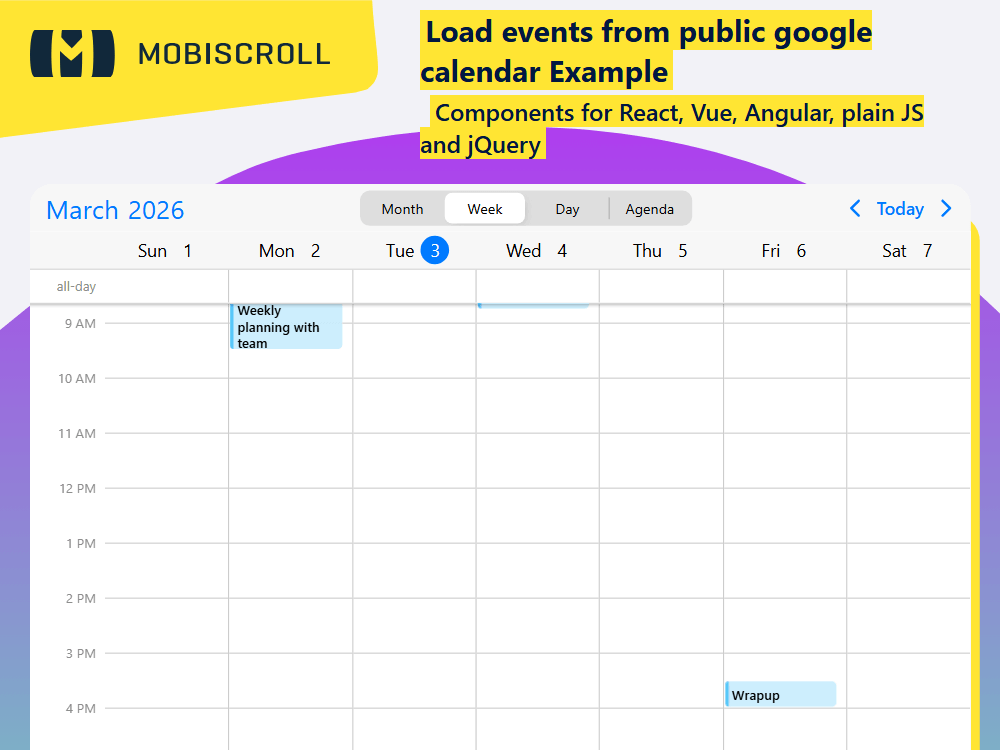
Event data can be loaded from remote sources, like public google calendars. Through the integration plugin you can easily show events that are available in a public calendar. The integration plugin needs to be added to the download package or installed separately from a dedicated NPM package.
You will just need the CALENDAR_ID and an apiKey from google and you should be ready to roll.
Public calendars are read-only. If you are interested in syncing private google calendars with read/write/delete access, check out this example.
Demo
Code
import { CommonModule } from '@angular/common';
import { Component, NgZone, OnInit } from '@angular/core';
import { FormsModule } from '@angular/forms';
import {
  MbscCalendarEvent,
  MbscEventcalendarOptions,
  MbscEventcalendarView,
  MbscModule,
  Notifications,
  setOptions ,
} from '@mobiscroll/angular';
import { googleCalendarSync } from '@mobiscroll/calendar-integration';

setOptions({
  locale:  ,
  theme: ' ',
  themeVariant: ' '
});

const CALENDAR_ID = 'theacidmedia.net_8l6v679q5j2f7q8lpmcjr4mm3k@group.calendar.google.com';

@Component({
  selector: 'app-root',
  templateUrl: './app.component.html',
  standalone: true,
  imports: [CommonModule, FormsModule, MbscModule],
})
export class AppComponent implements OnInit {
  constructor(
    public notify: Notifications,
    public zone: NgZone,
  ) {}

  myEvents: MbscCalendarEvent[] = [];
  isLoading = false;
  firstDay!: Date;
  lastDay!: Date;
  view = 'week';
  calView: MbscEventcalendarView = {
    scheduler: { type: 'week' },
  };

  calSettings: MbscEventcalendarOptions = {
    exclusiveEndDates: true,
    onPageLoading: (args) => {
      const start = args.viewStart!;
      const end = args.viewEnd!;

      // Calculate dates
      // (pre-load events for previous and next pages as well)
      if (this.view === 'month') {
        this.firstDay = start;
        this.lastDay = end;
      } else {
        this.firstDay = new Date(start.getFullYear(), start.getMonth(), start.getDate() - 7);
        this.lastDay = new Date(end.getFullYear(), end.getMonth(), end.getDate() + 7);
      }
      this.loadEvents();
    },
  };

  loadEvents(): void {
    this.isLoading = true;
    googleCalendarSync
      .getEvents(CALENDAR_ID, this.firstDay, this.lastDay)
      .then((resp: any) => {
        this.zone.run(() => {
          this.myEvents = resp;
          this.isLoading = false;
        });
      })
      .catch((error: any) => {
        this.onError(error);
      });
  }

  onError(resp: any): void {
    this.notify.toast({
      message: resp.error ? resp.error : resp.result.error.message,
    });
  }

  ngOnInit(): void {
    googleCalendarSync.init({
      apiKey: '<YOUR_GOOGLE_API_KEY>',
      onInit: () => {
        this.loadEvents();
      },
    });
  }

  changeView(): void {
    setTimeout(() => {
      switch (this.view) {
        case 'month':
          this.calView = {
            calendar: { labels: true },
          };
          break;
        case 'week':
        default:
          this.calView = {
            scheduler: { type: 'week' },
          };
          break;
        case 'day':
          this.calView = {
            scheduler: { type: 'day' },
          };
          break;
        case 'agenda':
          this.calView = {
            calendar: { type: 'week' },
            agenda: { type: 'week' },
          };
          break;
      }
    });
  }
}
<mbsc-eventcalendar [data]="myEvents" [options]="calSettings" [view]="calView" [headerTemplate]="customTemplate" class="md-google-calendar">
  <ng-template #customTemplate>
    <mbsc-calendar-nav class="google-cal-header-nav"></mbsc-calendar-nav>
    <div class="google-cal-header-picker">
      <mbsc-segmented-group [(ngModel)]="view" (change)="changeView()">
        <mbsc-segmented value="month">Month</mbsc-segmented>
        <mbsc-segmented value="week">Week</mbsc-segmented>
        <mbsc-segmented value="day">Day</mbsc-segmented>
        <mbsc-segmented value="agenda">Agenda</mbsc-segmented>
      </mbsc-segmented-group>
    </div>
    <mbsc-calendar-prev class="google-cal-header-prev"></mbsc-calendar-prev>
    <mbsc-calendar-today class="google-cal-header-today"></mbsc-calendar-today>
    <mbsc-calendar-next class="google-cal-header-next"></mbsc-calendar-next>
  </ng-template>
</mbsc-eventcalendar>
.md-google-calendar .mbsc-segmented {
  max-width: 300px;
  margin: 0 auto;
}

.google-cal-header-picker {
  flex: 1 0 auto;
}

/* material header order */

.mbsc-material.google-cal-header-prev {
  order: 1;
}

.mbsc-material.google-cal-header-next {
  order: 2;
}

.mbsc-material.google-cal-header-nav {
  order: 3;
}

.mbsc-material .google-cal-header-picker {
  order: 4;
}

.mbsc-material .google-cal-header-today {
  order: 5;
}

/* windows header order */

.mbsc-windows.google-cal-header-nav {
  order: 1;
}

.mbsc-windows.google-cal-header-prev {
  order: 2;
}

.mbsc-windows.google-cal-header-next {
  order: 3;
}

.mbsc-windows .google-cal-header-picker {
  order: 4;
}

.mbsc-windows .google-cal-header-today {
  order: 5;
}

/* loading spinner and overlay */

.md-loading-events .md-sync-events-overlay {
  position: absolute;
  z-index: 2;
  top: 0;
  right: 0;
  bottom: 0;
  left: 0;
  -webkit-transform: translateZ(0);
  transform: translateZ(0);
}

.md-spinner {
  visibility: hidden;
  position: relative;
  width: 20px;
  height: 20px;
}

.md-loading-events .md-spinner {
  visibility: visible;
}

.md-spinner .md-spinner-blade {
  position: absolute;
  left: 44.5%;
  top: 37%;
  width: 10%;
  height: 25%;
  border-radius: 50%/20%;
  background-color: #8c8c8c;
  -webkit-animation: md-spinner-fade 1s linear infinite;
  animation: md-spinner-fade 1s linear infinite;
  -webkit-animation-play-state: paused;
  animation-play-state: paused;
}

.md-spinner .md-spinner-blade:nth-child(1) {
  -webkit-animation-delay: -1.66667s;
  animation-delay: -1.66667s;
  -webkit-transform: rotate(30deg) translate(0, -150%);
  transform: rotate(30deg) translate(0, -150%);
}

.md-spinner .md-spinner-blade:nth-child(2) {
  -webkit-animation-delay: -1.58333s;
  animation-delay: -1.58333s;
  -webkit-transform: rotate(60deg) translate(0, -150%);
  transform: rotate(60deg) translate(0, -150%);
}

.md-spinner .md-spinner-blade:nth-child(3) {
  -webkit-animation-delay: -1.5s;
  animation-delay: -1.5s;
  -webkit-transform: rotate(90deg) translate(0, -150%);
  transform: rotate(90deg) translate(0, -150%);
}

.md-spinner .md-spinner-blade:nth-child(4) {
  -webkit-animation-delay: -1.41667s;
  animation-delay: -1.41667s;
  -webkit-transform: rotate(120deg) translate(0, -150%);
  transform: rotate(120deg) translate(0, -150%);
}

.md-spinner .md-spinner-blade:nth-child(5) {
  -webkit-animation-delay: -1.33333s;
  animation-delay: -1.33333s;
  -webkit-transform: rotate(150deg) translate(0, -150%);
  transform: rotate(150deg) translate(0, -150%);
}

.md-spinner .md-spinner-blade:nth-child(6) {
  -webkit-animation-delay: -1.25s;
  animation-delay: -1.25s;
  -webkit-transform: rotate(180deg) translate(0, -150%);
  transform: rotate(180deg) translate(0, -150%);
}

.md-spinner .md-spinner-blade:nth-child(7) {
  -webkit-animation-delay: -1.16667s;
  animation-delay: -1.16667s;
  -webkit-transform: rotate(210deg) translate(0, -150%);
  transform: rotate(210deg) translate(0, -150%);
}

.md-spinner .md-spinner-blade:nth-child(8) {
  -webkit-animation-delay: -1.08333s;
  animation-delay: -1.08333s;
  -webkit-transform: rotate(240deg) translate(0, -150%);
  transform: rotate(240deg) translate(0, -150%);
}

.md-spinner .md-spinner-blade:nth-child(9) {
  -webkit-animation-delay: -1s;
  animation-delay: -1s;
  -webkit-transform: rotate(270deg) translate(0, -150%);
  transform: rotate(270deg) translate(0, -150%);
}

.md-spinner .md-spinner-blade:nth-child(10) {
  -webkit-animation-delay: -0.91667s;
  animation-delay: -0.91667s;
  -webkit-transform: rotate(300deg) translate(0, -150%);
  transform: rotate(300deg) translate(0, -150%);
}

.md-spinner .md-spinner-blade:nth-child(11) {
  -webkit-animation-delay: -0.83333s;
  animation-delay: -0.83333s;
  -webkit-transform: rotate(330deg) translate(0, -150%);
  transform: rotate(330deg) translate(0, -150%);
}

.md-spinner .md-spinner-blade:nth-child(12) {
  -webkit-animation-delay: -0.75s;
  animation-delay: -0.75s;
  -webkit-transform: rotate(360deg) translate(0, -150%);
  transform: rotate(360deg) translate(0, -150%);
}

.md-loading-events .md-spinner-blade {
  -webkit-animation-play-state: running;
  animation-play-state: running;
}

@-webkit-keyframes md-spinner-fade {
  0% {
    opacity: 0.85;
  }
  50% {
    opacity: 0.25;
  }
  100% {
    opacity: 0.25;
  }
}

@keyframes md-spinner-fade {
  0% {
    opacity: 0.85;
  }
  50% {
    opacity: 0.25;
  }
  100% {
    opacity: 0.25;
  }
}