


















jQuery Agenda

Updated on Oct 30, 2026

jQuery Calendar Agenda and Event List Component

Add a day-by-day event list to an existing jQuery application. Display appointments, sessions or scheduled tasks, combine the list with a calendar and customize how each event is presented.

Loading the live demo...

Initialize the Agenda through Mobiscroll's jQuery API without replacing your existing page structure.

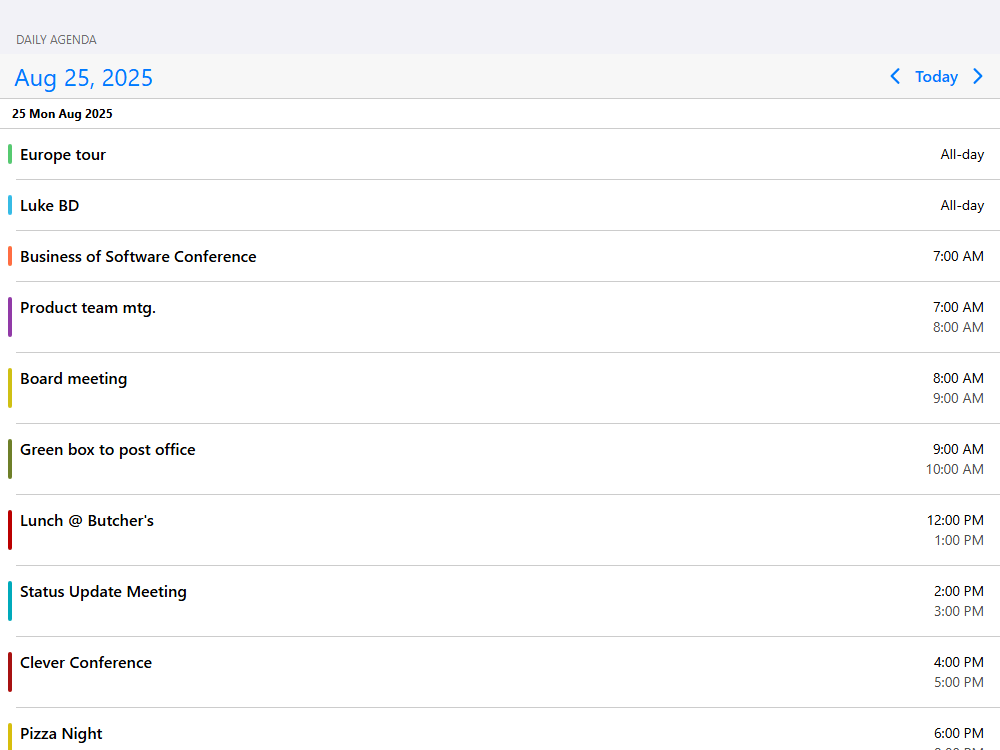
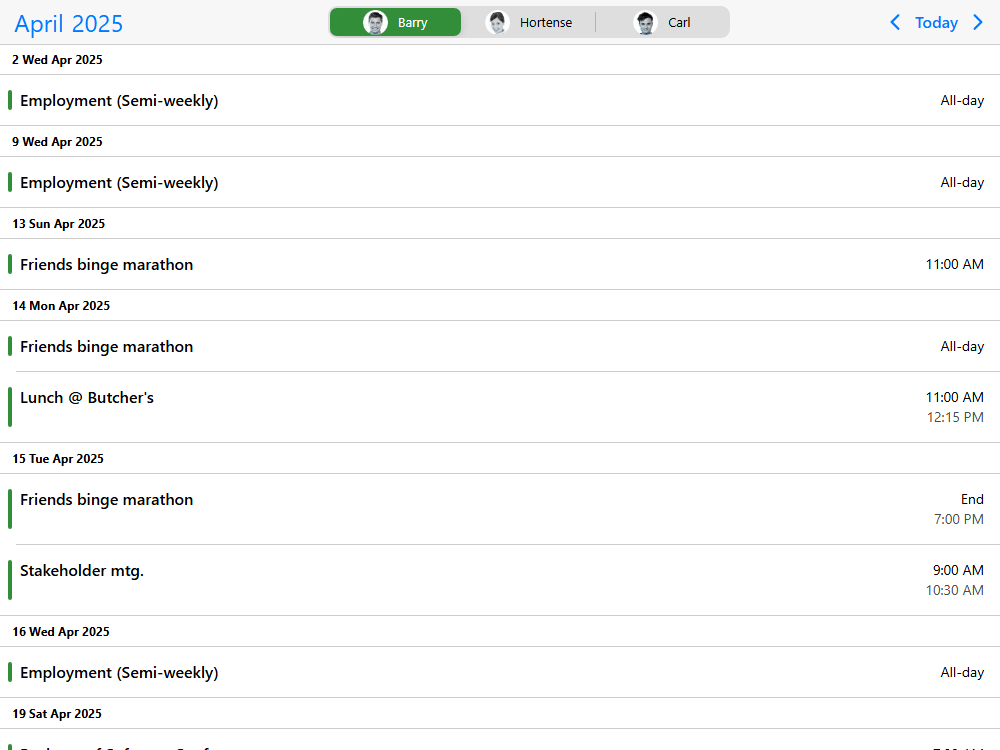
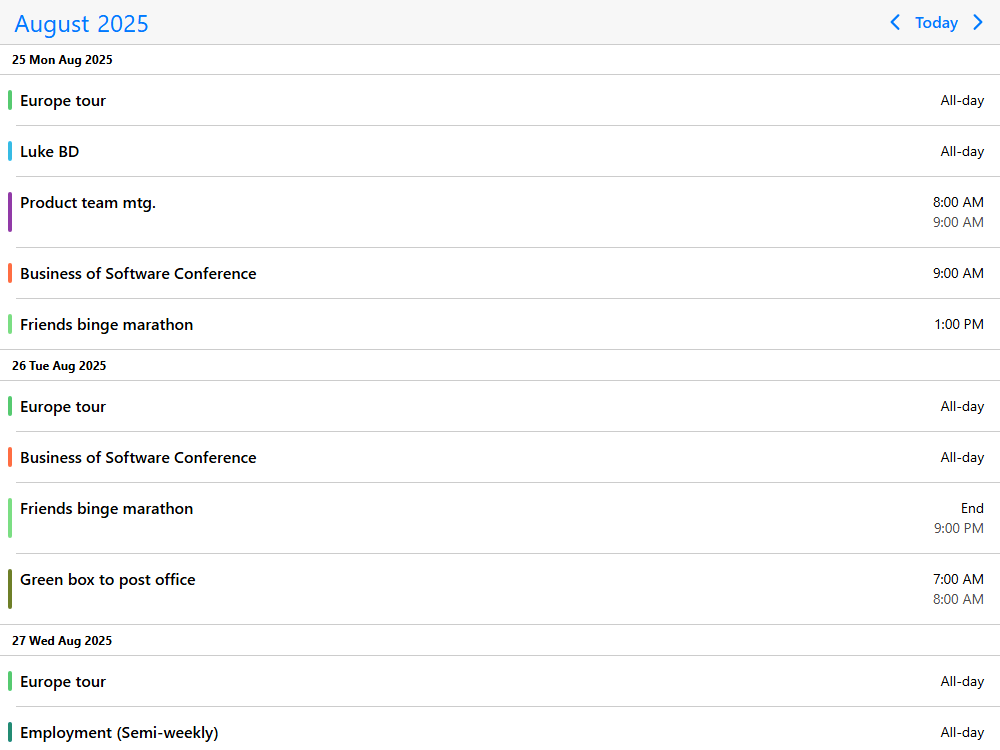
Mobiscroll Agenda is the chronological event-list view of the Event Calendar component. Instead of positioning events on a calendar grid or a resource timeline, it lists events under their dates for an understandable daily, weekly, monthly or yearly overview. Use it alone or combine it with a calendar for date navigation. Mobiscroll supplies the configurable display and interaction tools; your application supplies the events and workflow.

  • StableSecretary logo
  • ServiceTitan logo
  • Telstra Health logo
  • Zucchetti logo
  • Yardi logo
  • Verisure logo
  • Tebra logo
  • Litmos logo
  • Hays logo
  • ConnectWise logo
  • SpotMe logo
  • A.WFM logo
  • Ad Astra Information Systems logo
  • Alobees logo
  • Arbox logo
  • Artist Growth logo
  • Asolvi logo
  • Atlas Chiropractic System logo
  • Bedzzle logo
  • BlueFolder logo

Agenda highlights

  • Day-by-day lists for any planning range

    Show scheduled events grouped by date, from an individual day to several days, weeks, months or years. Choose whether days without events appear in the list.

  • A calendar and event list together

    Pair the Agenda with a week or month calendar so users can pick a date and immediately see the events that matter. Build a focused event-list experience for smaller screens.

  • Event details shaped by your application

    Customize event rows, day headers, tooltips and empty states. Add relevant information such as the service, location, status or assignee instead of relying on a fixed event-list format.

  • AI-ready developer tooling

    Use the Mobiscroll MCP server, coding-agent skills and AI-readable documentation to help AI assistants generate framework-specific Agenda configuration and event-list code.

Getting started

Install the Mobiscroll CLI once and configure the jQuery package in your project. It sets up the private npm registry and installs Mobiscroll.

Terminal
npm install -g @mobiscroll/cli
mobiscroll config jquery

Add a <div id="agenda"></div> to your page. For a bundled project, register the component and initialize it on a jQuery selection:

JS
import $ from 'jquery';
import { Eventcalendar, registerComponent } from '@mobiscroll/jquery';
import '@mobiscroll/jquery/dist/css/mobiscroll.jquery.min.css';

registerComponent(Eventcalendar);

const today = new Date();
const at = (hour, offset = 0) => new Date(
  today.getFullYear(), today.getMonth(), today.getDate() + offset, hour
);

const events = [
  { id: 1, title: 'Morning appointments', start: at(9), end: at(10) },
  { id: 2, title: 'Team review', start: at(11), end: at(12) },
  { id: 3, title: 'Training session', start: at(14, 1), end: at(16, 1) }
];

$(function () {
  $('#agenda').mobiscroll().eventcalendar({
    view: { calendar: { type: 'week' }, agenda: { type: 'day' } },
    selectedDate: today,
    data: events
  });
});

For an existing HTML page, you can load jQuery and the downloaded Mobiscroll package instead of using a bundler. See the jQuery installation guide and Agenda documentation.

The starter example is a compact calendar-and-list pattern. For a standalone event list, event search or custom event template, open the relevant Agenda demo and start with its working code.

Browse the demos

What you can build with the Agenda

A calendar agenda works when users need to answer "what's happening next?" rather than compare events in a time grid. Use the Event Calendar's Agenda view as a flexible event-list building block and add the information, filters and actions your product requires.

Appointment booking & availability

Show upcoming appointments grouped by day, with appointment time, provider and service information in customized event rows. Combine a week calendar with the list for quick date selection, or filter the list for a particular provider (daily agenda with week calendar, resource filtering).

Class, lesson & event scheduling

Build class schedules, event programs and training-session lists that visitors can browse by day. Show recurring sessions and use custom event content for speakers, instructors, venues or registration details (recurring events, custom event content).

Workforce & shift planning

Give team members a date-ordered list of upcoming shifts, assignments and handovers, including details that matter to a particular role. Use the Agenda for a readable individual schedule, and the Scheduler or Timeline view when a planner needs a resource-by-time comparison (agenda date ranges, custom event ordering).

Job scheduling & dispatch

Present a technician's or field team's daily visits and work orders as a chronological list. Display location, status or job details in each event, support event search and use your own application actions to open or update a work order (custom work-item rows, event search).

Agenda capabilities

Mobiscroll Agenda turns event data into a date-grouped list with configurable ranges, rendering and navigation. Combine these capabilities with your existing data and app screens; use the other Event Calendar views when users need the spatial perspective of a calendar grid, vertical scheduler or horizontal resource timeline.

  • Daily, weekly, monthly and yearly event lists

    List events for a day, week, month or year, and extend the period to several units of the same type. Choose whether to show headings for days with no events (configurable agenda ranges, empty days).

  • Combine a calendar with the agenda

    Place the agenda beneath a week calendar to show events for the selected date, or connect it to an external calendar for navigation. This gives users both date context and a focused event list (combined calendar and agenda, external calendar navigation).

  • Customize events and day headers

    Change the information and layout of event rows, day headings and header controls. Add custom event tooltips or a tailored empty state without replacing the Agenda view itself (event templates, day headers, empty states).

  • Find, filter and order events

    Create event-search interactions, control the order of entries and filter a schedule by resource. These patterns help users find a specific meeting, session or assignment without examining a crowded month grid (event search, event sort, resource filter).

  • Recurring, all-day and multi-day events

    Display repeated sessions, events that last all day and activities that span multiple dates. Recurrence is part of the shared Event Calendar event model, so the same event data can power other views (recurring events, event data structure).

  • Connect your own API and load events on demand

    Provide inline events, fetch entries from a remote endpoint or request records when the visible date range changes. Use Event Calendar lifecycle callbacks to keep the list aligned with your application's data (inline events, remote events, on-demand loading).

  • Event selection and bulk actions

    Build selection and bulk-action experiences for lists of events. Use callbacks to open details or connect actions to the editing and permission rules in your application (multiple selection and bulk actions, event editing API).

  • Time zones, localization and themes

    Show localized date and time formats, translate UI labels and adapt the display for users in different time zones. Apply the iOS, Material or Windows themes in light or dark variations (time-zone display, localization, themes).

  • Responsive layouts for mobile and desktop

    Use a compact standalone event list on a narrow screen and combine it with a calendar on larger screens. The view can respond to component width, helping you tailor the experience to the available space (Agenda responsive options).

  • Accessibility and keyboard support

    Mobiscroll provides documented keyboard and screen-reader behavior using WAI-ARIA. It is largely aligned with WCAG 2.2 A and AA, but complete AA compliance is not claimed; review the Event Calendar accessibility details and WCAG support and limitations for your application.

  • Printing an agenda

    Print the current agenda with the optional print module where your license includes it. Keep the printable view aligned with the events shown to the user (print an agenda, printing documentation).

AI Tooling

Mobiscroll provides AI Tooling for development teams using coding assistants. The MCP server supplies version-aware API context, while agent skills and AI-readable documentation help assistants use the correct Event Calendar view settings, event model and callbacks. For Agenda, this means generating an event list and its application interactions without confusing it with a date picker or a resource time grid.

For jQuery, keep the generated code in the .mobiscroll().eventcalendar() pattern and use the existing page's controls. Example request: "Add a jQuery agenda with daily appointments, calendar navigation and an event-search action. Use Mobiscroll's current jQuery API and show where my data endpoint connects."

Set up your assistant using the AI Tooling guide. Use the MCP server, supported agent skills and AI-readable Agenda documentation for framework-specific API context, then test the resulting code and application rules.

AI Tooling setup guide

Agenda demos

Browse jQuery Agenda examples for date selection, event-list templates, search and data loading. Each demo provides a practical starting point for an existing jQuery application.

Start with calendar and agenda navigation, custom event content or on-demand event loading.

Your data and external calendars

Mobiscroll Agenda displays the events supplied by your application. Combine it with your own event API or use it alongside the other Event Calendar views.

Need to display your users' external calendars? Mobiscroll Connect provides a separate connectivity layer for Google Calendar, Outlook, Apple Calendar and CalDAV, including account connection, normalized calendar data and synchronization. Mobiscroll Connect is sold separately and is not required to use the Agenda.

Explore Mobiscroll Connect

Frequently asked questions

What is a calendar agenda or event list component?

A calendar agenda is a list of scheduled events arranged chronologically under their dates. Mobiscroll Agenda is the event-list view of the Event Calendar component; it can display an individual day or longer periods and can be combined with calendar navigation.

What is the difference between Agenda and Event Calendar?

Agenda is the date-ordered list view, while the Event Calendar's Calendar view places dates in a week or month grid and can show event labels or a day popover. They are views of the same Event Calendar component, so they can use the same underlying events (Agenda view, Calendar view).

Can I combine an agenda list with a calendar?

Yes. A weekly calendar can control a daily agenda in the same instance, allowing the user to select a day and see its events below (combined week calendar and agenda).

Can the agenda show events for several weeks or months?

Yes. Configure view.agenda.type and size for a day, week, month or year and multiple periods where applicable (agenda range options).

Can I customize the information in each agenda event?

Yes. Mobiscroll provides event and header rendering options, and the demo library includes custom rows, day headers and tooltips (full event customization).

Can I filter or search an agenda by resource?

Yes. Resource filtering and event search are demonstrated patterns that you can connect to your application's data and controls (resource filtering, event search).

Does the Agenda include a backend or booking engine?

No. It displays events and supports configurable UI interactions. Your application supplies the event records, storage and any authoritative rules for bookings, permissions or concurrent updates.

Can I load agenda events from my API?

Yes. Pass event records into the component or load them on demand as users navigate dates (load events on demand).

Is the Agenda responsive and accessible?

Yes, the display supports responsive configuration and Mobiscroll documents keyboard and screen-reader support. The components are largely aligned with WCAG 2.2 A and AA, but full AA compliance is not claimed; see accessibility documentation.

Is Mobiscroll Agenda free or open source?

No. Mobiscroll Agenda is part of a commercially licensed UI product, with a free trial available for evaluation. See Mobiscroll pricing.

Can I install it from the public npm registry?

No. The framework packages are distributed through Mobiscroll's private npm registry. Install the public Mobiscroll CLI and run mobiscroll config with your framework, or use a downloaded package where supported.

Can AI coding assistants work with the Agenda?

Yes. The AI Tooling guide explains the MCP server, agent skills and AI-readable documentation available to coding assistants. Verify generated code and application behavior before shipping.

Do I need Mobiscroll Connect to build an agenda?

No. Agenda works with your application's own event data. Mobiscroll Connect is an optional, separately sold product for integrating external calendar accounts.

Can I use the Agenda in a SaaS application?

Yes. Mobiscroll offers Calendaring for SaaS licensing for products delivered to multiple customers, distinct from internal-project licenses (see license options).

Which jQuery versions are supported?

jQuery 1.7 and newer (jQuery installation).

Licensing

Agenda is a view of Mobiscroll UI's Event Calendar component. Choose an internal-project license for software used within your organization, or Calendaring for SaaS for software delivered to multiple customers. The optional print module depends on the license. Compare Mobiscroll UI licenses.

Ready to build your calendar agenda?

Start with a working Agenda example, install Mobiscroll for your framework and customize the event list to match your users' workflow. Explore the full demo catalog or use the AI Tooling guide to help your coding assistant adapt an example with current APIs.

Agenda for other frameworks

Duplicate Session

You have signed in on a different machine. To keep everything in sync, you have been signed out of this session.

If you need to invite team members, manage seats and accounts you can do it from the licenses page.

Duplicate Session

We noticed you are logged in on a different machine and have closed your old session.

If you need to invite team members, manage seats and accounts you can do it from the licenses page.