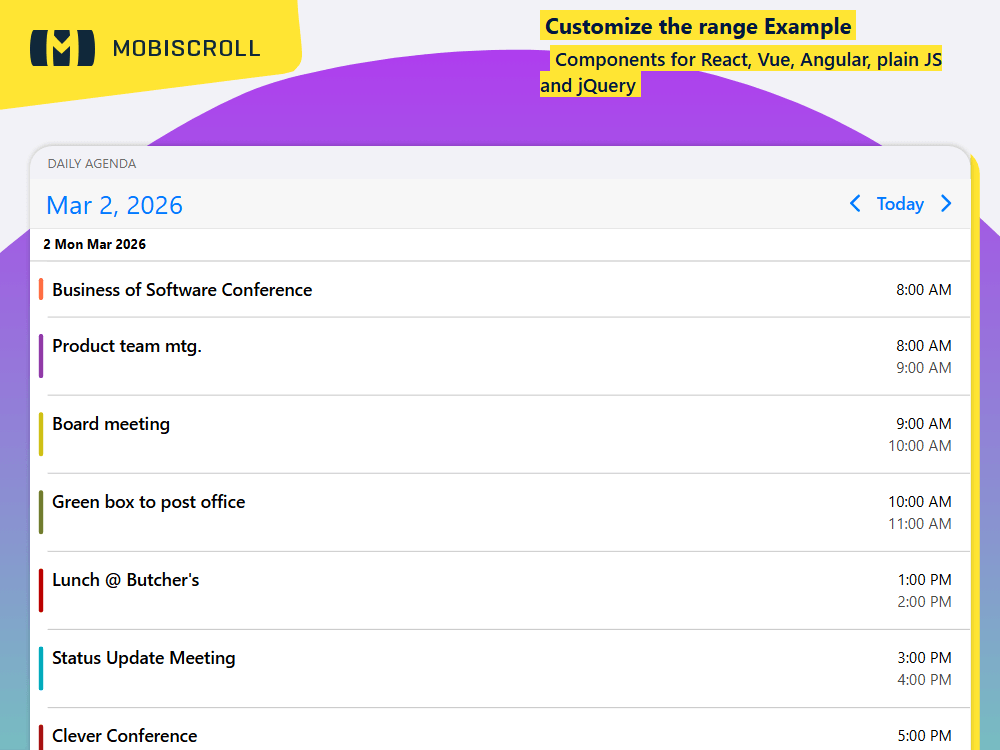
Use the agenda object inside the view option to configure the agenda. type and size can be set as follows:
- day -
agenda: { type: 'day', size: 20 }can be configured for a single day or a range of days - week -
agenda: { type: 'week', size: 3 }can be configured for a single or multiple weeks - month -
agenda: { type: 'month' }can be configured for one or more months - year -
agenda: { type: 'year' }can be configured for one or more years
Interested in combining this with a calendar view? Check out the previous example →
Demo
Daily agenda
days
Weekly agenda
weeks
Monthly agenda
months
Yearly agenda
years
view: {
agenda: { type: 'day ', size: 2 }
}
JSHTML
mobiscroll.setOptions({
  locale:  ,
  theme: ' ',
  themeVariant: ' '
});

var daily = mobiscroll.eventcalendar('#demo-agenda-daily', {
  view: {
    agenda: { type: 'day' },
  },
});

var weekly = mobiscroll.eventcalendar('#demo-agenda-weekly', {
  view: {
    agenda: { type: 'week' },
  },
});

var monthly = mobiscroll.eventcalendar('#demo-agenda-monthly', {
  view: {
    agenda: { type: 'month' },
  },
});

mobiscroll.getJson(
  'https://trial.mobiscroll.com/events-new/?vers=5',
  function (events) {
    daily.setEvents(events);
    weekly.setEvents(events);
    monthly.setEvents(events);
  },
  'jsonp',
);
<div mbsc-page>
  <div class="mbsc-grid">
    <div class="mbsc-row">
      <div class="mbsc-col-sm-12 mbsc-col-md-4">
        <div class="mbsc-form-group">
          <div class="mbsc-form-group-title">Daily agenda</div>
          <div id="demo-agenda-daily"></div>
        </div>
      </div>
      <div class="mbsc-col-sm-12 mbsc-col-md-4">
        <div class="mbsc-form-group">
          <div class="mbsc-form-group-title">Weekly agenda</div>
          <div id="demo-agenda-weekly"></div>
        </div>
      </div>
      <div class="mbsc-col-sm-12 mbsc-col-md-4">
        <div class="mbsc-form-group">
          <div class="mbsc-form-group-title">Monthly agenda</div>
          <div id="demo-agenda-monthly"></div>
        </div>
      </div>
    </div>
  </div>
</div>